Feature Introduction
This feature is used to declare detailed terms, privacy policies, disclaimers, or survey notes within the survey.
How to Set Up
Log in to the survey admin panel and go to the "Survey Settings" page.
Scroll to the "Survey Display" section and toggle on the "Terms and Conditions" switch.
Fill in the "Title" (Optional) and "Content" (Required) according to your needs.
Select your preferred layout from the "Display Position" drop-down menu.
Currently, the SurveyCake Enterprise Edition (ENT) unlocks full display position configurations for Terms and Conditions. For standard SaaS plan users, the system will uniformly fix the layout to "Bottom of Every Page" and cannot be adjusted to "Homepage Pop-up" or "Display Simultaneously."

Three Display Positions
The system provides the following three layout options:
Bottom of every page: The terms are permanently displayed as static text at the very bottom of each page of the survey.
Homepage popup: When respondents land on the survey homepage, the system will automatically display an overlay pop-up window presenting the terms.
Display in both locations: A combination of both options—the terms will pop up on the survey homepage, while the static text remains at the bottom of every page.
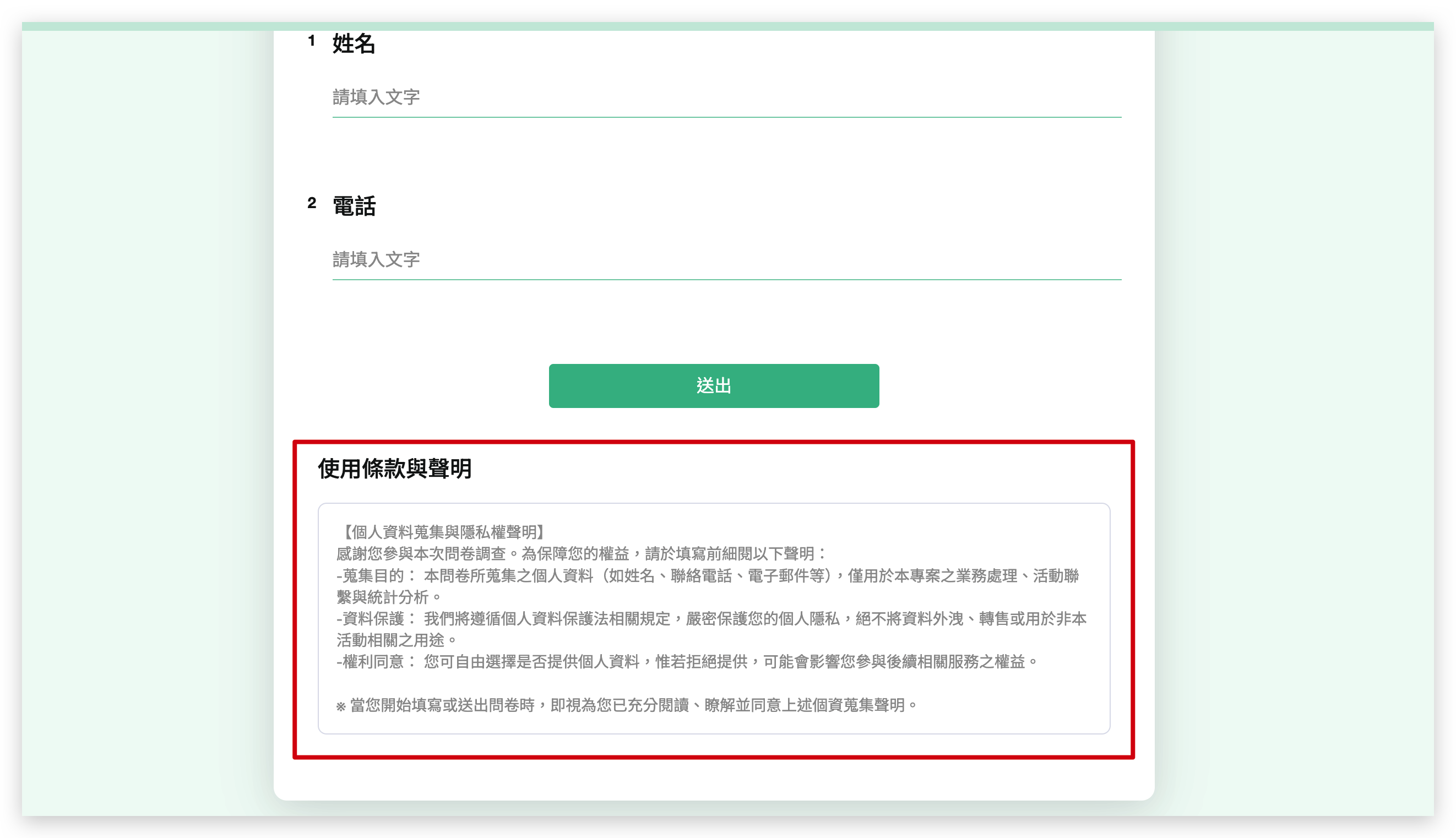

Bottom of every page
Homepage popup
Advanced Interaction Settings
When selecting "Homepage popup" or "Display in both locations," the following two toggle switches will appear in the admin panel:
Force Full Reading: When enabled, the "Confirm" button in the front-end pop-up window is disabled by default. Respondents must scroll the terms content to the very bottom before the system unlocks the button.
Consent Declaration: When enabled, a mandatory checkbox stating "I have read and agree to the terms above" will be added inside the pop-up window. Respondents must manually tick this box before they can close the pop-up and start filling out the survey.
Data & Analytics
When the survey has the Consent Declaration enabled and successfully collects responses, the corresponding records will be automatically generated in the data downloaded from the "Data Report" page in the admin panel.

The "Terms & Conditions - Display Settings" features described above are exclusively available for SurveyCake Enterprise. If you would like to learn more, feel free to fill out our Enterprise Consultation Form to contact us.
Summary
"Terms and Conditions" are ideal for survey scenarios requiring strict personal data disclosures or legal notifications. Paired with the brand-new pop-up and force-reading mechanisms, it effectively protects respondents' rights and interests while providing complete data filtering and consent tracking logs in the admin panel!



