If you're new to surveys, here's a brief introduction to the definitions and relationships between questions, groups, pages, and option groups.
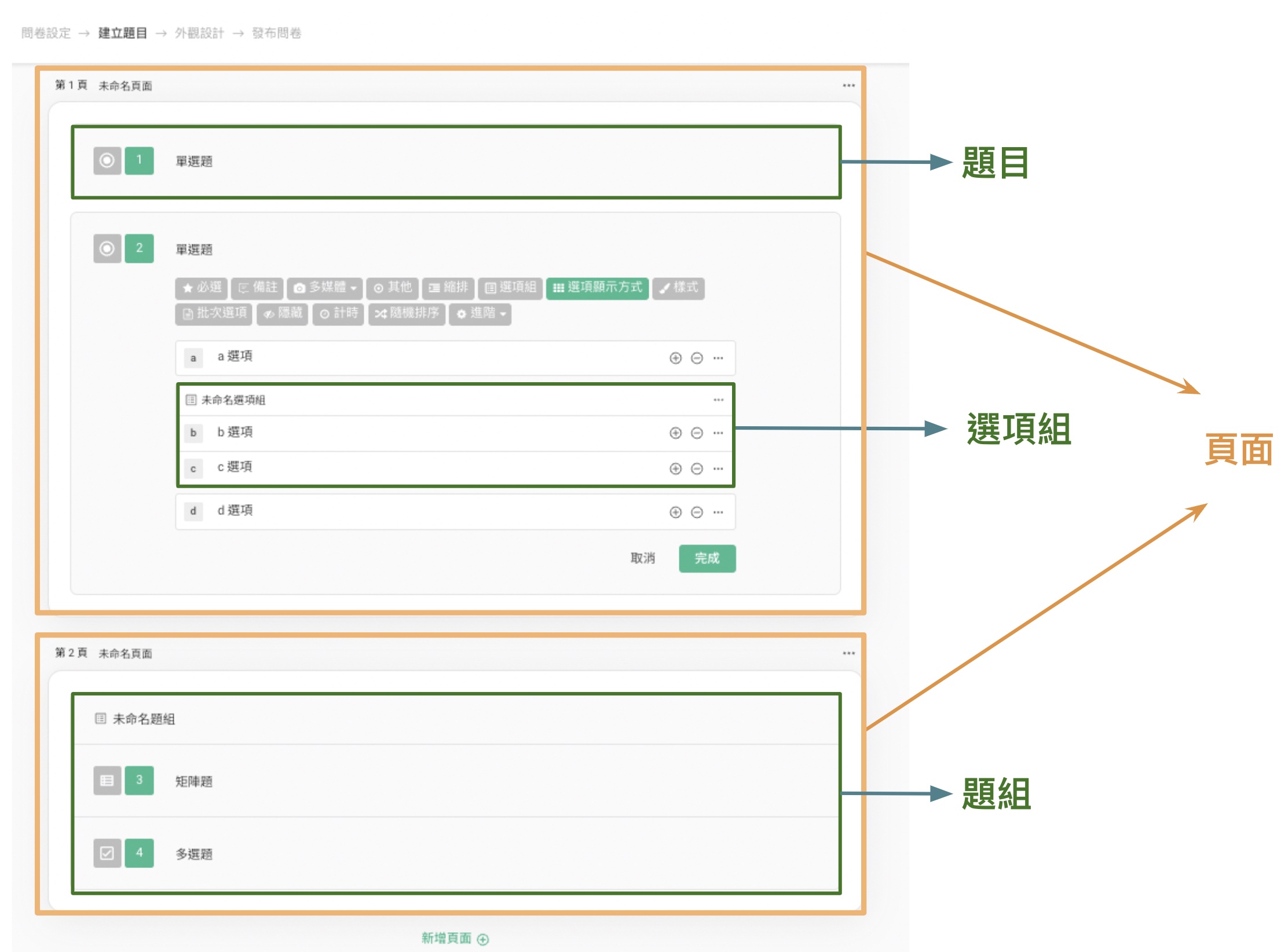
Questions: A question refers to various question types, such as Multiple Choice, Checkboxes, and Matrix. You can create a question by specifying the question type.
Groups: A group is a collection of multiple questions. You can group related or specially processed questions together, which is useful in situations where you need to apply the Shuffle Option Order feature in your survey.
Only the survey creator can view the group structure, and the group structure will not be visible in the final survey.
Option Groups: An option group allows you to group related or specially processed options together, and you can further set up Shuffle Option Order.
Pages: A page can group multiple questions and groups together on the same page. You can place related questions and groups on the same page. By using appropriate pagination, you can guide respondents to better understand the survey topics on each page.
Summary
By understanding the hierarchy of questions, groups, option groups, and pages, you can design surveys more flexibly to meet your needs, improving both the respondent experience and data quality!



