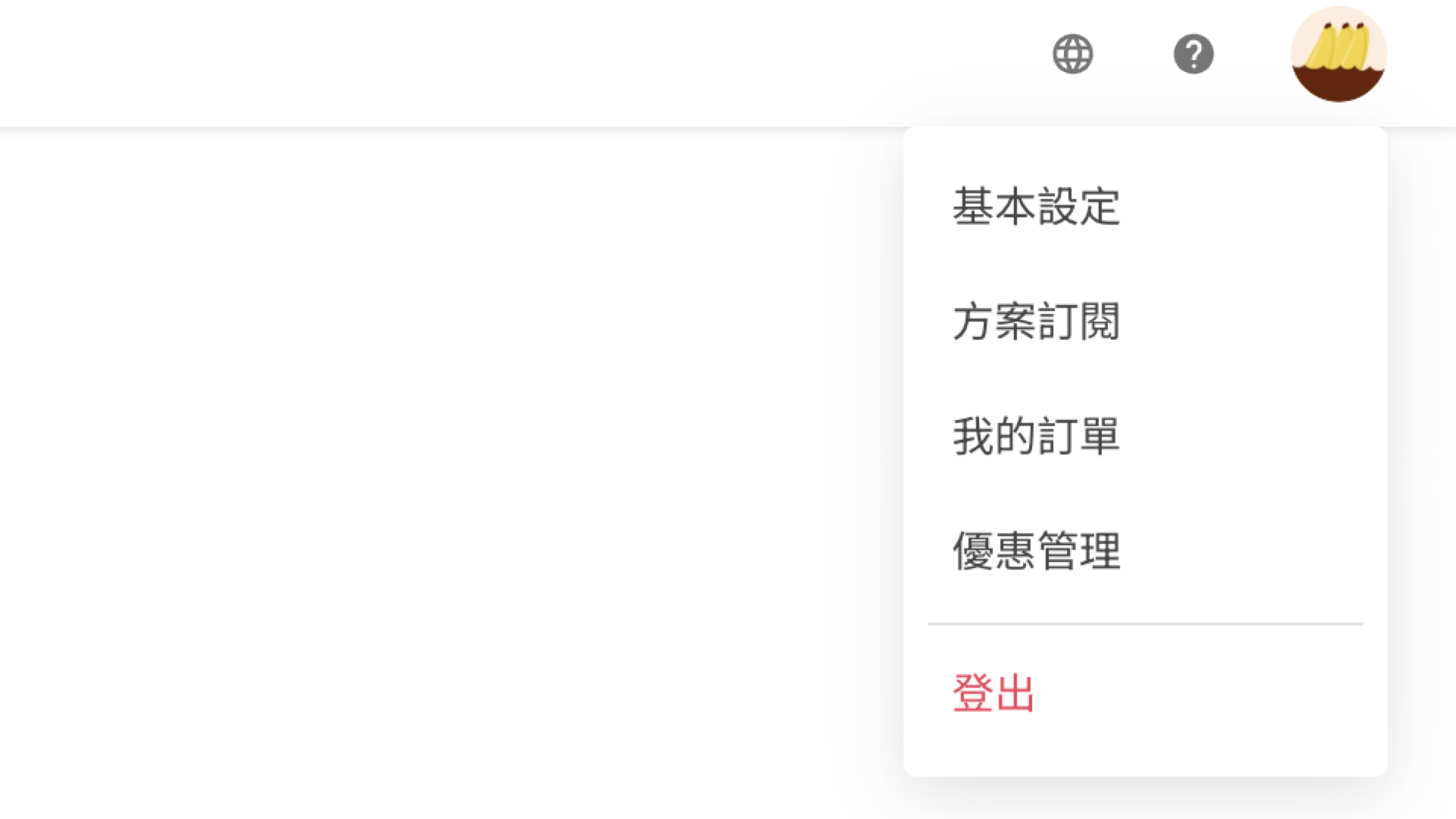
To check your receipt, you may log into your account at SurveyCake and click "My orders" in the upper right menu.
On the "My orders" page, you can view the details of each subscription and order:
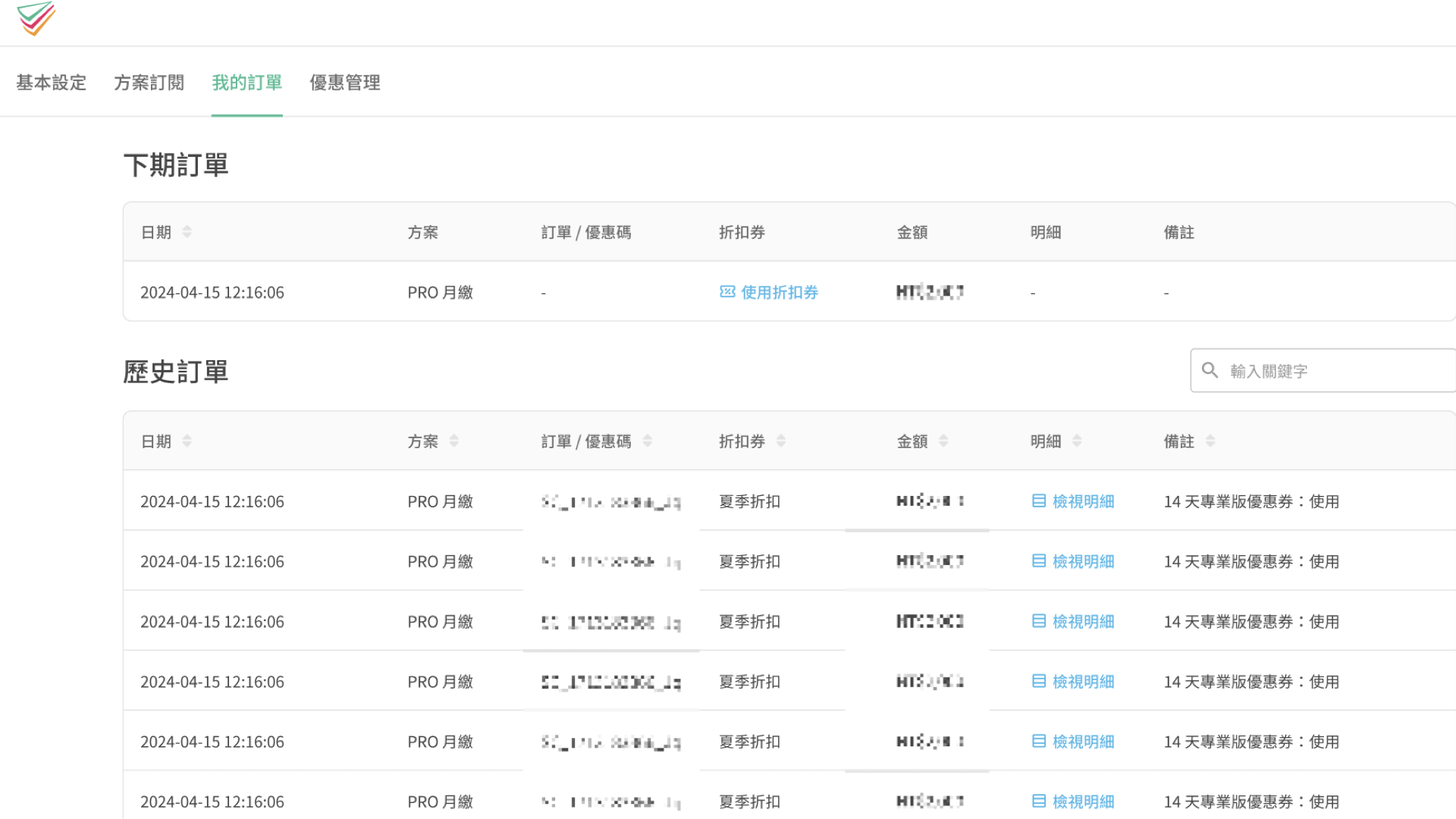
Field Descriptions
Date: The date when the order was created or when the promo code was redeemed.
Plan: The subscription plan associated with this order.
Order / Promo Code: The order number or the promo code used for the purchase.
Promo: The discount or promotion applied to the order, if any.
Amount: The amount charged for the order.
Details / Notes: Additional information about the order. You can also click the RECEIPT button to view detailed order information.
Notes on E-invoice
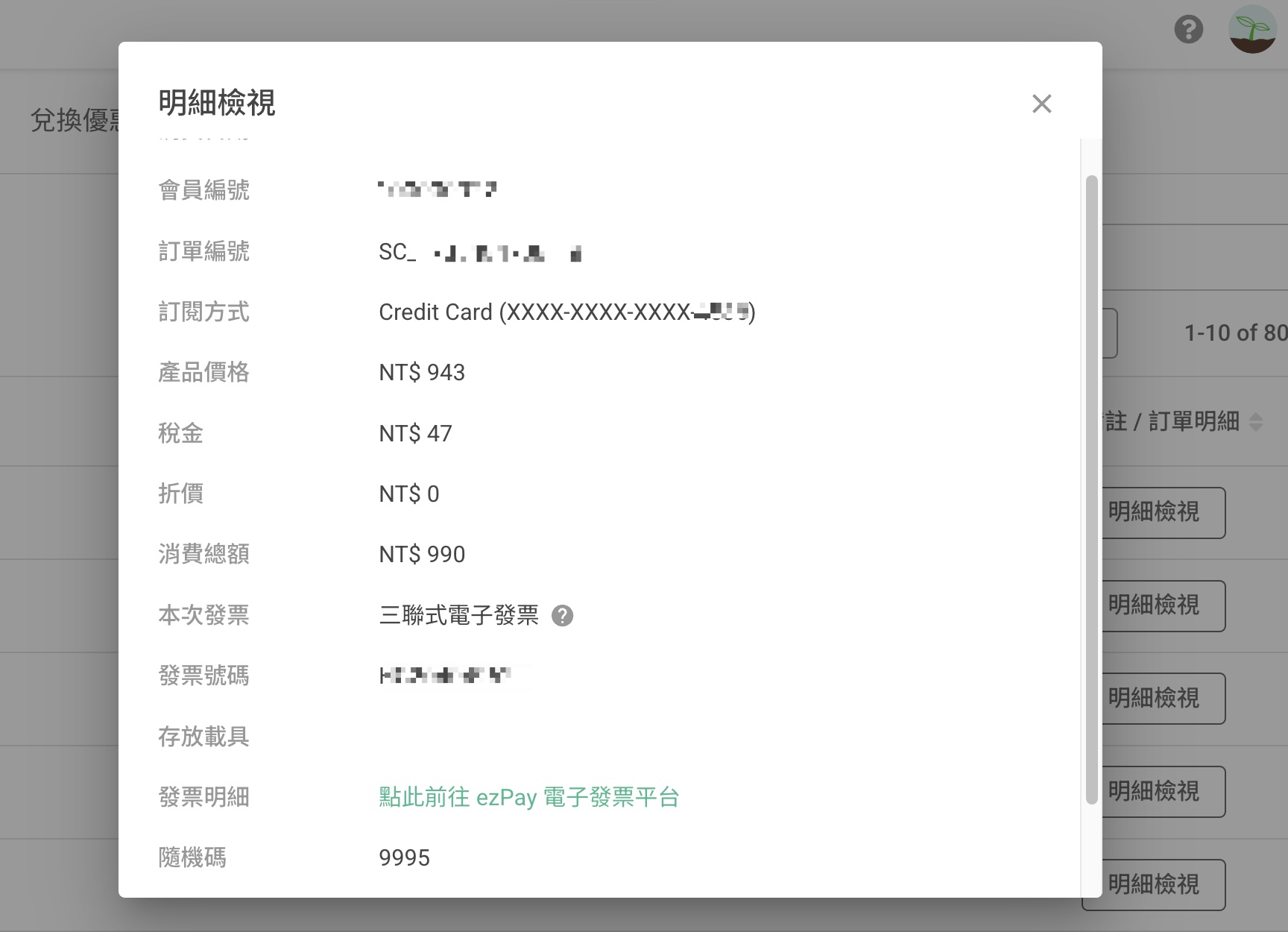
To view invoice details, please go to ezPay E-invoice platform and enter your "Purchase date", "Invoice number" and "Random code" found in RECEIPT.
Triplicate E-invoices may be directly printed from ezPay E-invoice platform. Printed triplicate invoices can be used for writing off financial accounts.
If your E-invoice wins the lottery, SurveyCake will mail the winning receipt to the address provided by you.
For questions related to invoice types, such as modifying invoice information or reissuing invoices, please see Invoice.