By including an "Other" option, you can provide a more inclusive survey experience that accommodates a wider range of responses.

You can also click on the gear icon next to other options to open "Input Settings" for more customization, providing a more user-friendly experience for respondents and enabling you to collect more accurate data.
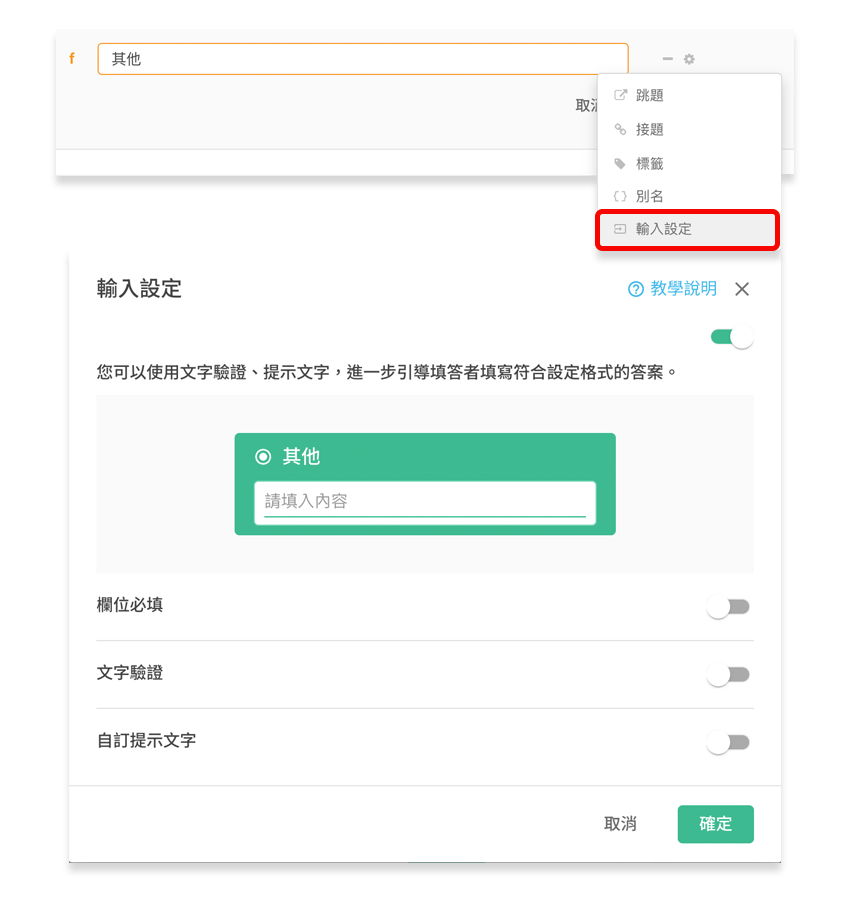
Required
If this option is enabled, respondents will be required to enter text in the following text box when selecting "Other".
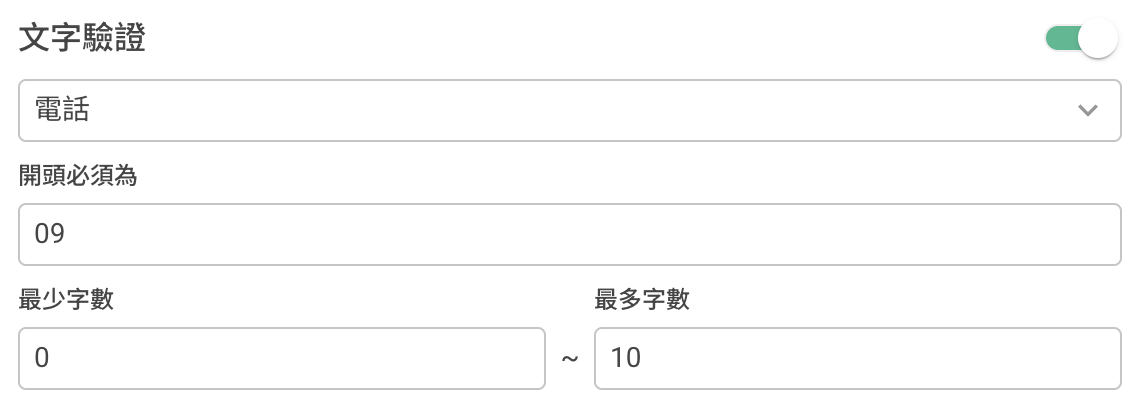
Text Verification
By enabling the "Text Verification" option, you can ensure that respondents provide additional details when selecting "Other". You can also customize input restrictions for other fields, such as text type, length, and format, to improve data accuracy and meet your specific analysis needs.
Custom Placeholder Text
When questions are abstract or complex, providing clear instructions through Custom Placeholder Text can help respondents understand how to answer more effectively.

Summary
By offering an Other option, you can capture a broader spectrum of opinions and ideas.



