In managing surveys, collecting responses is just the beginning — understanding how respondents interact with your survey is equally important.
By integrating Microsoft Clarity with SurveyCake, you can:
Visualize heatmaps to see exactly where respondents click and which areas capture their attention.
Track bounce rates to identify where respondents drop off.
Use behavioral analytics to refine your question design and survey flow, boosting your overall completion rate.
If your Clarity tracking code is already implemented through Google Tag Manager (GTM), enabling both GTM and the Clarity integration in SurveyCake will cause duplicate tracking, leading to inaccurate data reports.
How to Enable the Clarity Integration
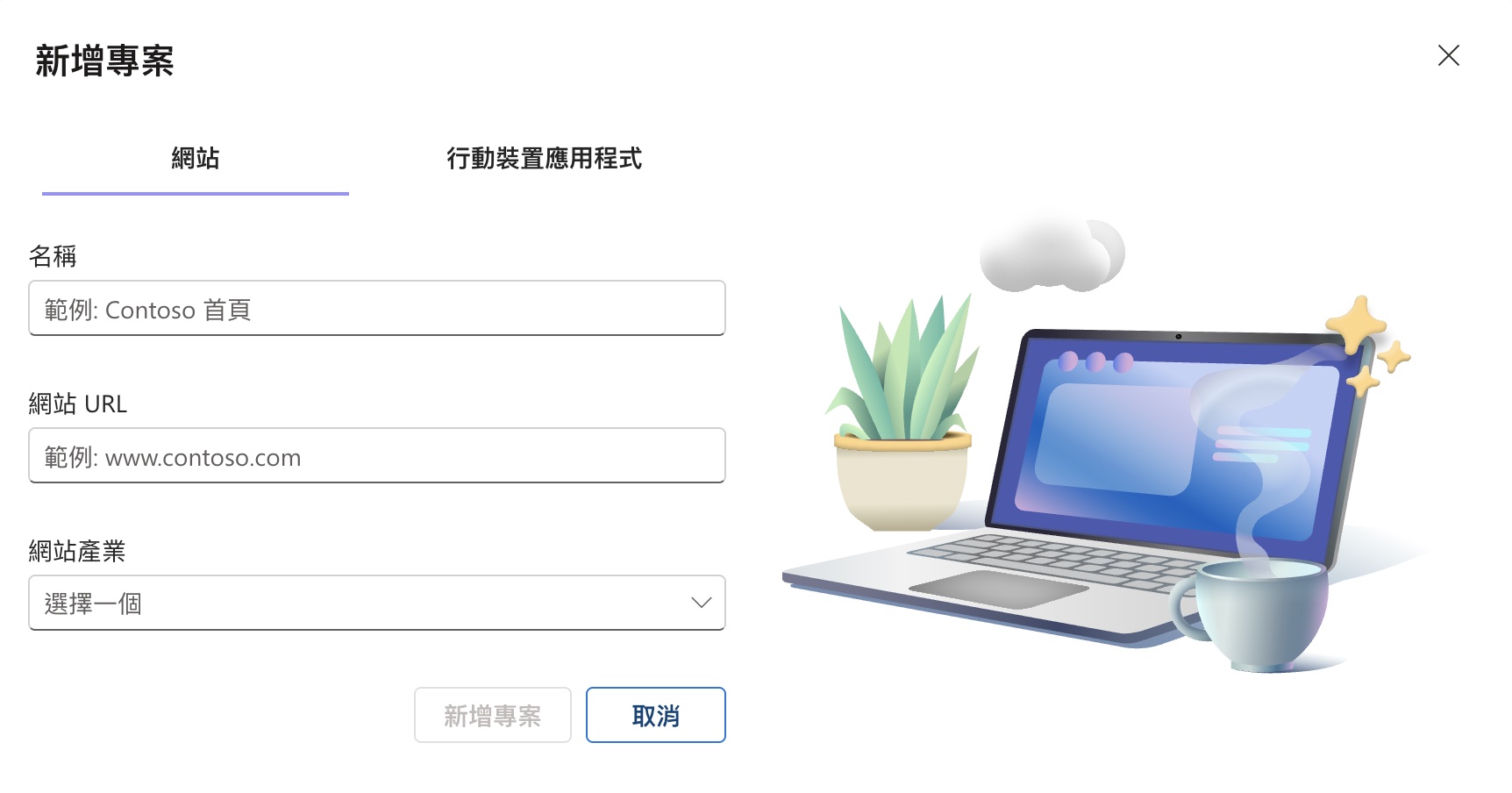
Create a new project in Microsoft Clarity. In the Website URL, enter your company’s SurveyCake domain link (e.g., xxx.surveycake.biz, xxx.surveycake.com) and fill in the remaining fields as needed.
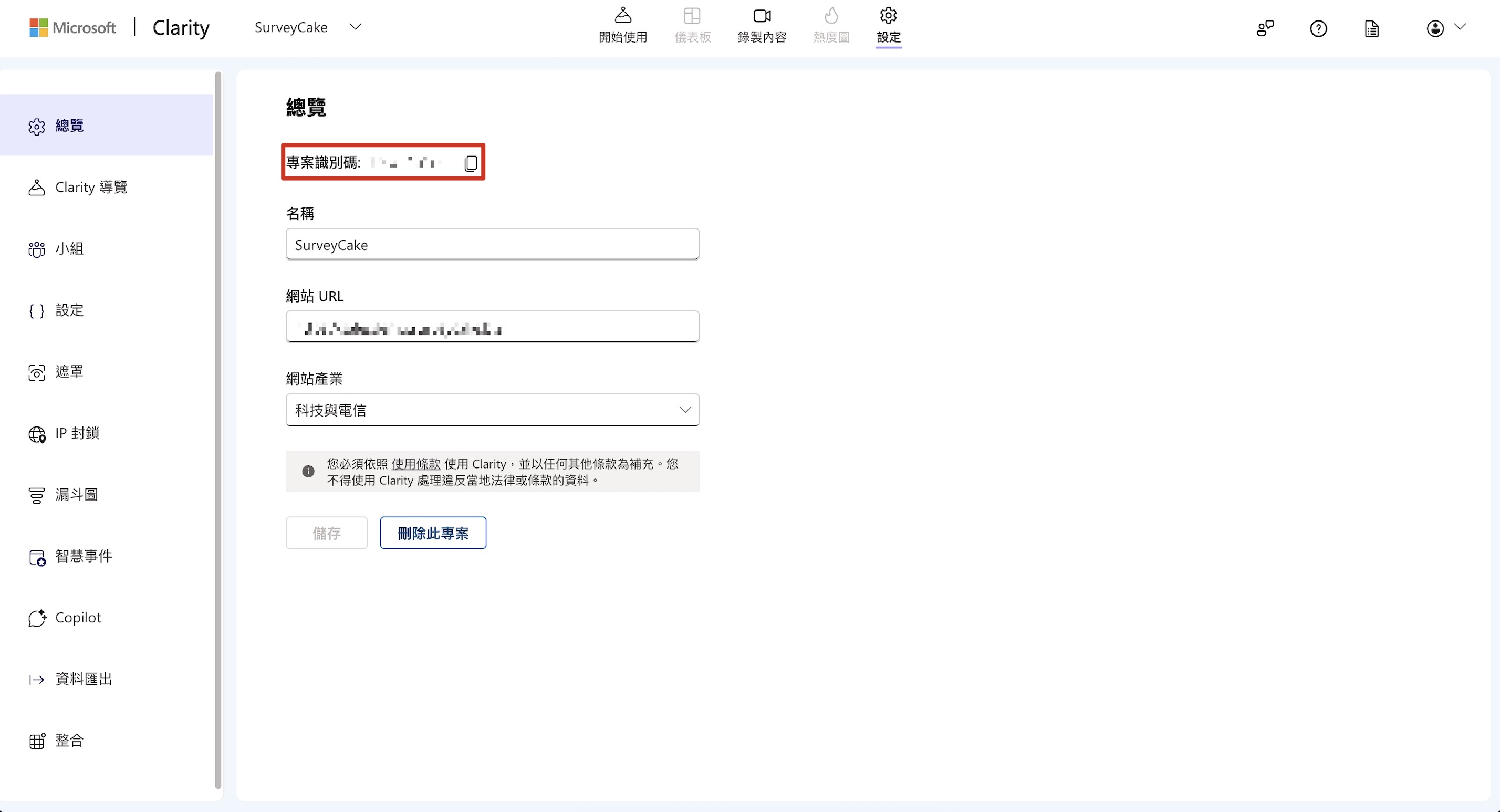
Go to the Overview tab in Clarity and copy the Project ID (a 10-character alphanumeric code).
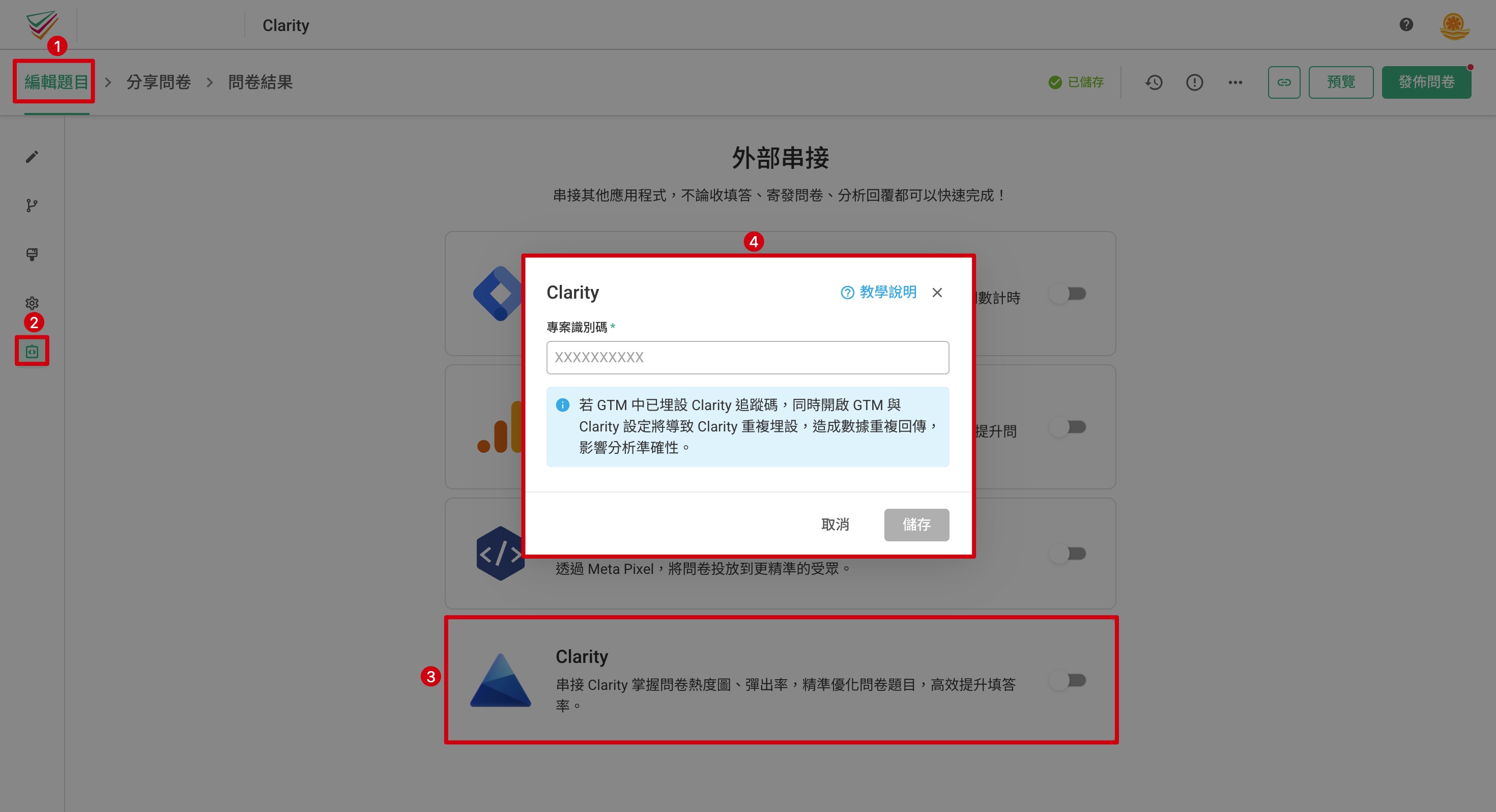
Go to the Integration page in SurveyCake. Enable Clarity and paste your Project ID into the field provided. Click Save to complete the setup.
Once your setup is complete, go to Recordings in your Clarity dashboard. If you see “1 user is online,” it means the Clarity integration with your SurveyCake survey is working successfully, and Clarity is now tracking respondents’ on-page behavior.

The Clarity integration feature mentioned above is only available on SurveyCake Enterprise. Please Contact Us for more information.
Summary
Integrating Clarity gives you a deeper understanding of the respondent journey, helping you visualize behavior, optimize questions, and improve survey performance with precision.



