Questions from the same type of survey are often quite similar. Import Questions allows you to extract specific questions from existing surveys and directly import them into your newly created survey!
Import Questions can be found in the second step of creating a new survey: in the navigation bar, at the "⋯" button in the top right corner.
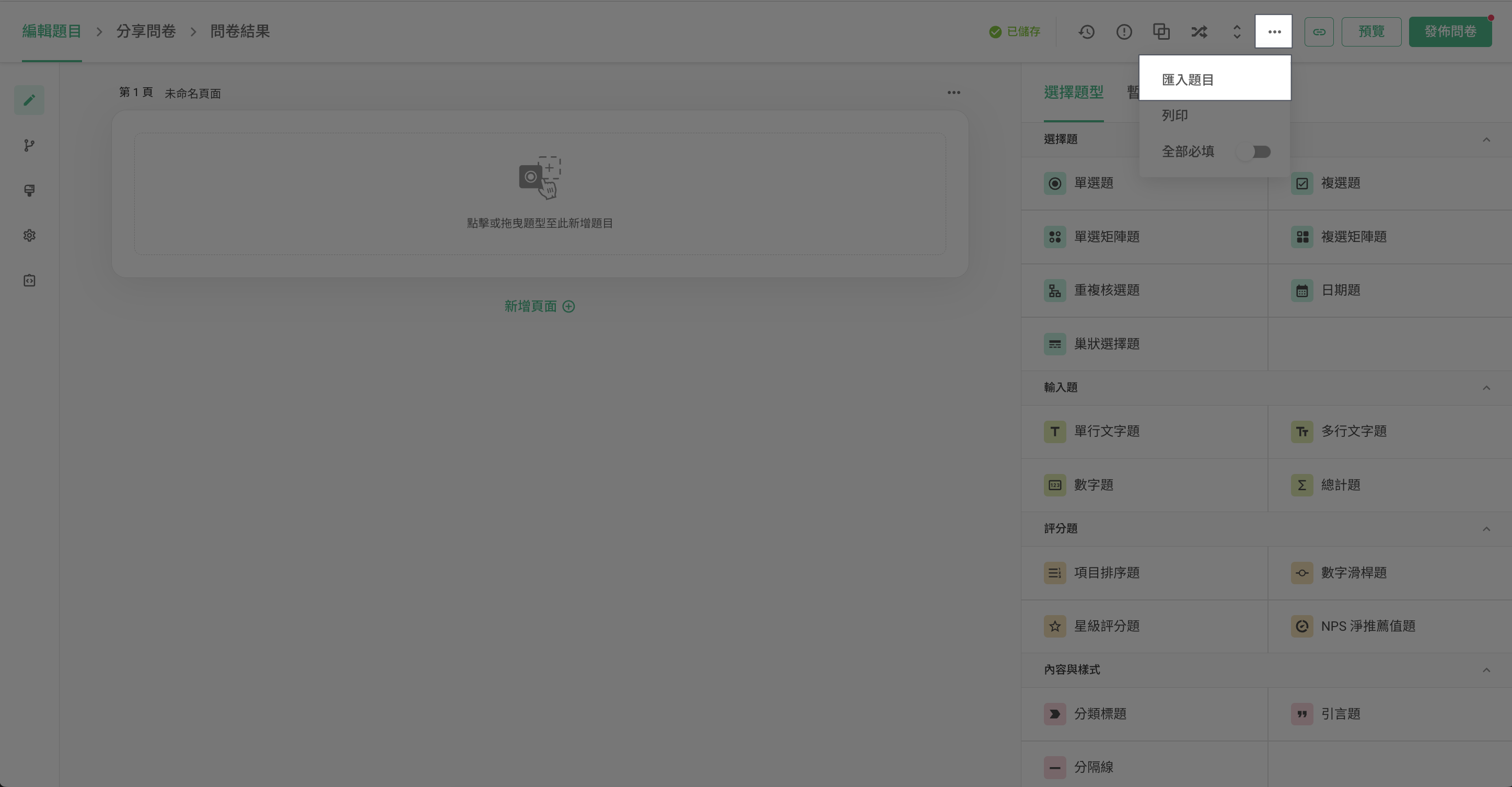
After clicking Import Questions, the settings box will pop up and list all the surveys you currently have. Select a survey from the list and check the specific questions to import. In addition, you can also locate specific surveys faster through group filtering and the title search.
For example, if you were designing a new satisfaction survey questionnaire and would like to import questions from the Event Satisfaction Survey.
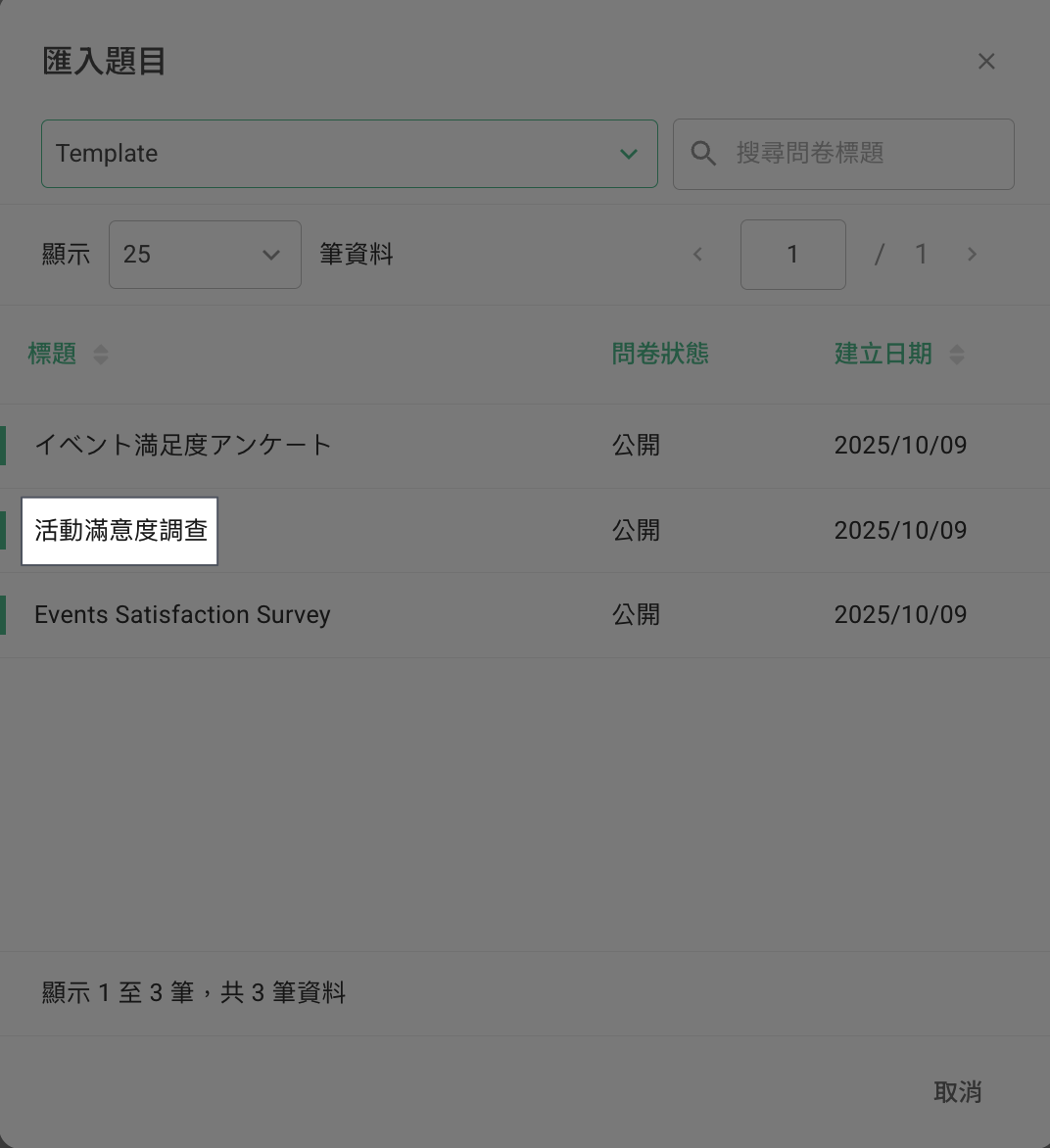
After clicking on the Event Satisfaction Survey, you can choose the questions to be imported. Click Show more to see the complete options for each question!

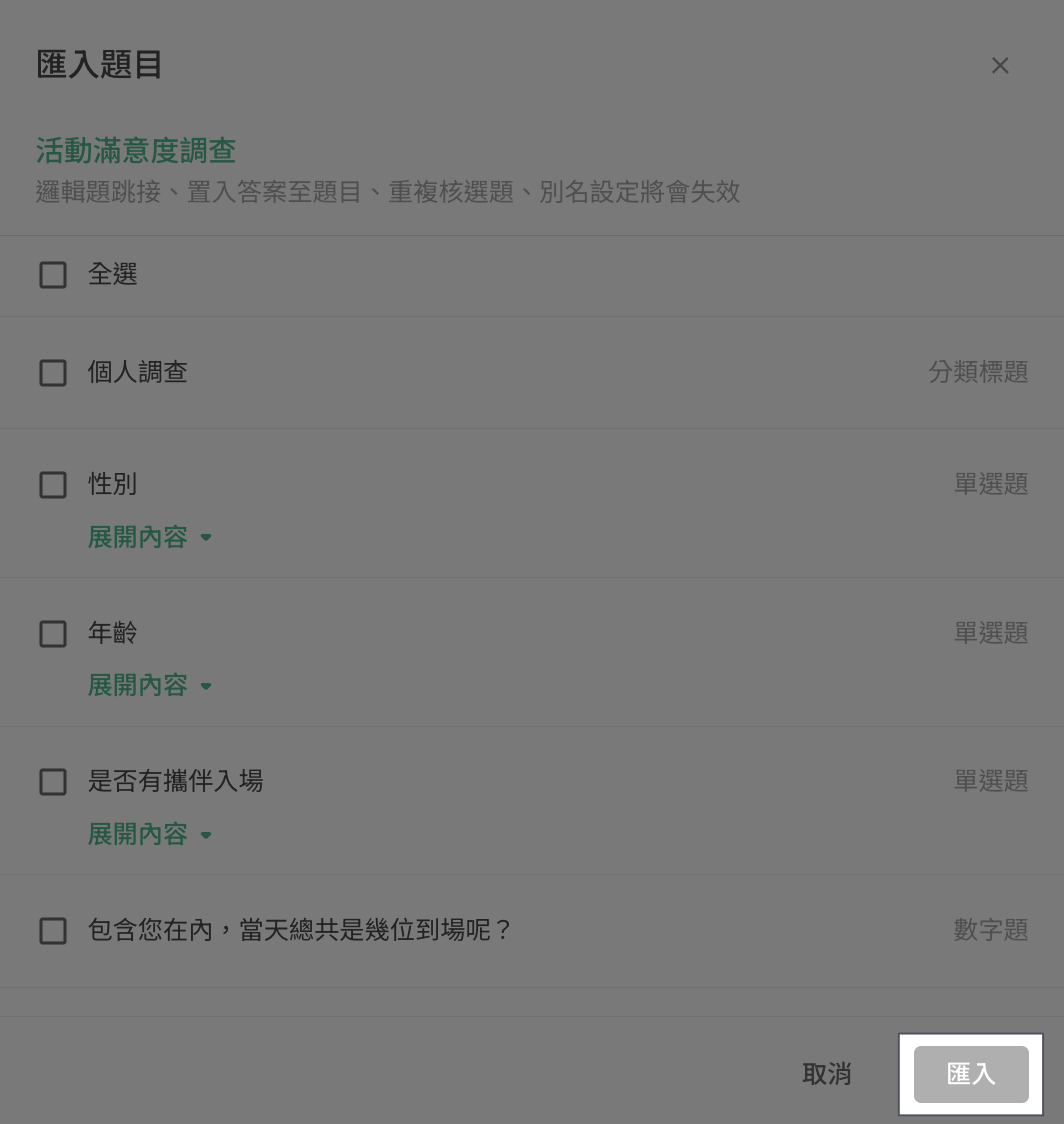
After checking the questions, click Import.
The questions have been imported! If there are already existing questions in your new survey, the imported questions will be inserted below the last question.
FAQ
Can I import questions from other platforms? (e.g., Google Form)
No, since the platforms are not connected to each other, you could not import questions from external survey platforms into SurveyCake.
Will the responses to the questions from another questionnaire be imported into the currently edited questionnaire simultaneously?
No, only the questions rather than the responses will be imported.
Summary
Why bother redesigning the questions, save your time building surveys with Import Questions!



