Dynamic Field is another powerful feature from SurveyCake that allows you to incorporate respondent's previous answers into your current questions. It's a game-changer for keeping your surveys personal and engaging.
For instance, if you want to address the respondent by name in all survey questions, you can first ask the respondent's name as a question.

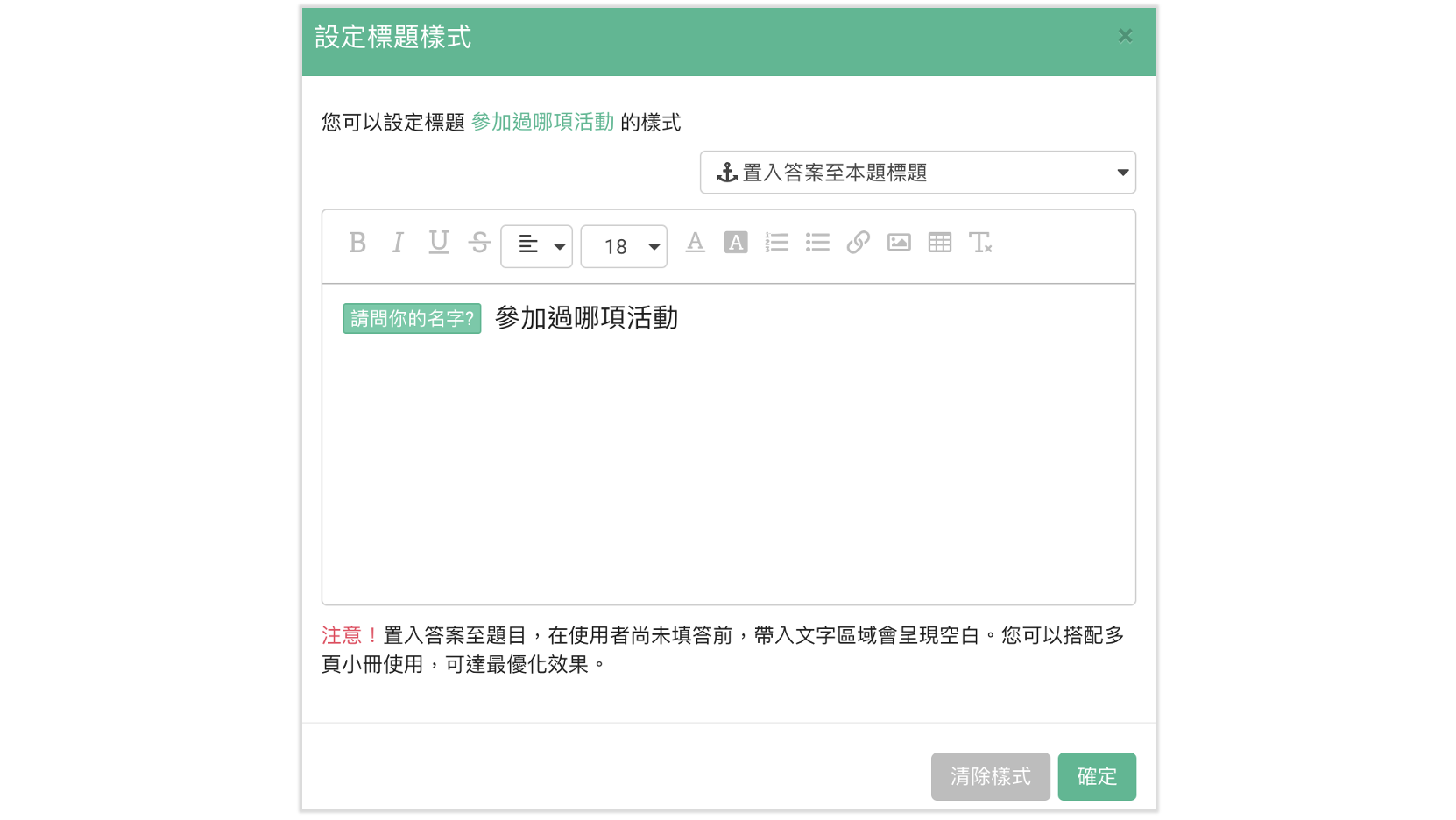
Next, in the question where you want to insert the respondent's name, click on Style and then click on Insert Dynamic Fields located in the top right corner. Here, select the answer you want to insert and it will be added to the question title!
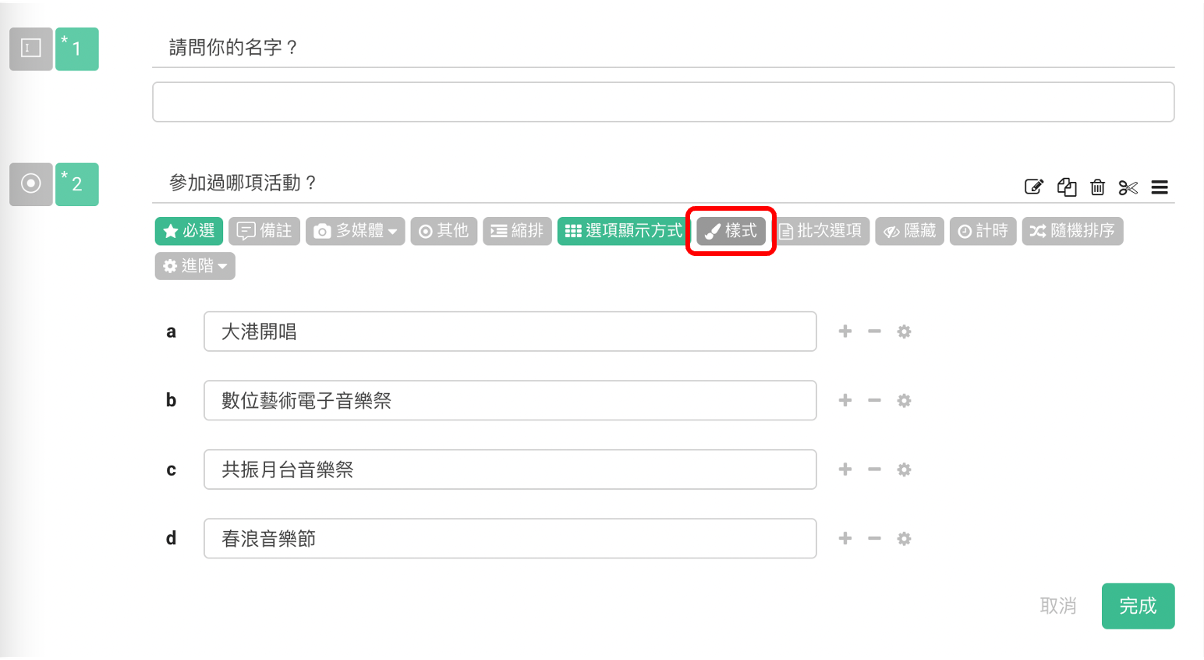
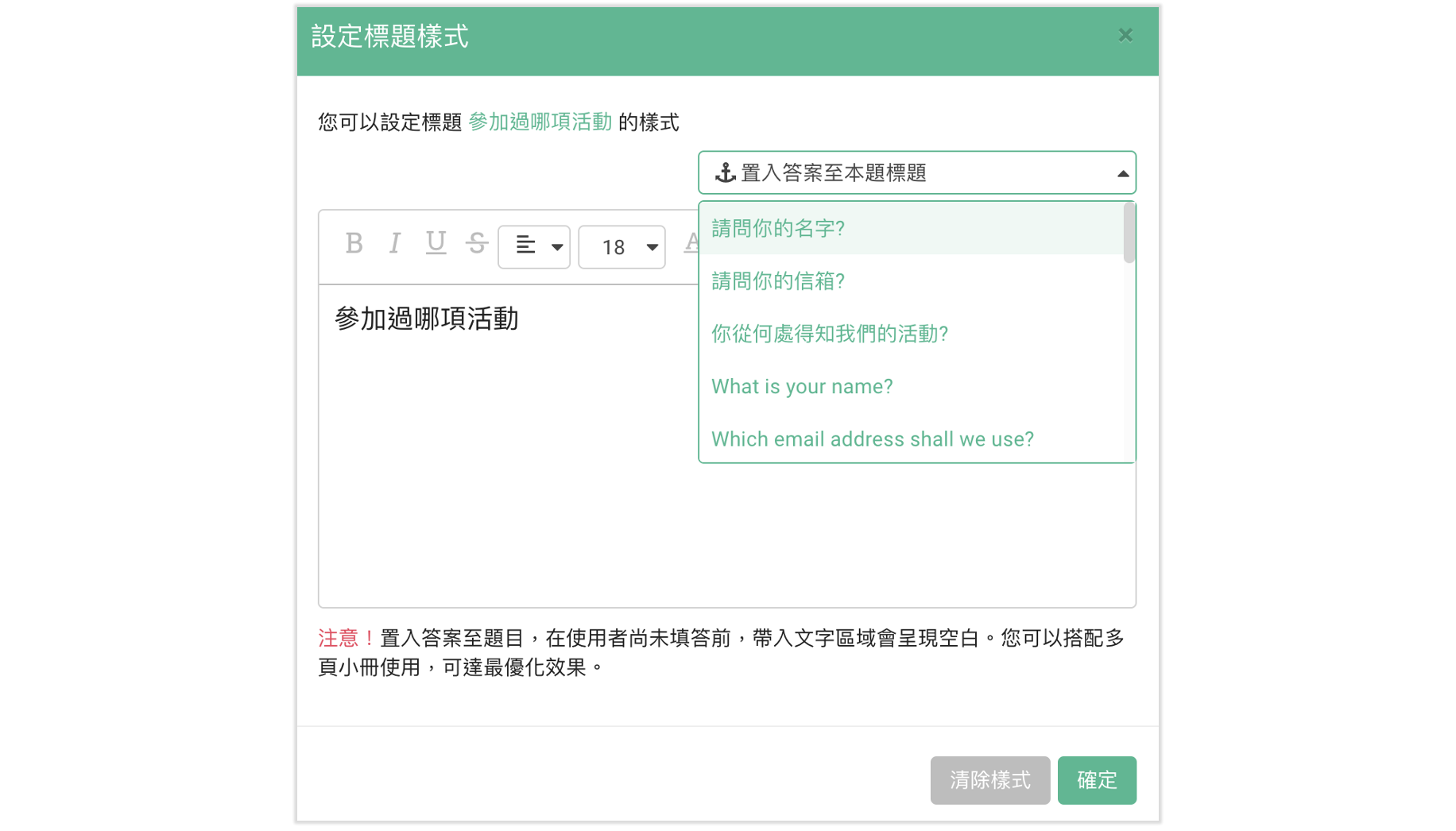
The "Insert Dynamic Fields" action is successfully implemented
The answer to the first question has been successfully integrated into the second question
Note: If no response is provided, the Dynamic Field in the title (in green) will be left empty. Thus, setting this question as Required is advised!
Additionally, here's an unmissable tip. Incorporating a Rich text at the end of survey with the Insert Dynamic Fields unveils a surprising effect for respondents!
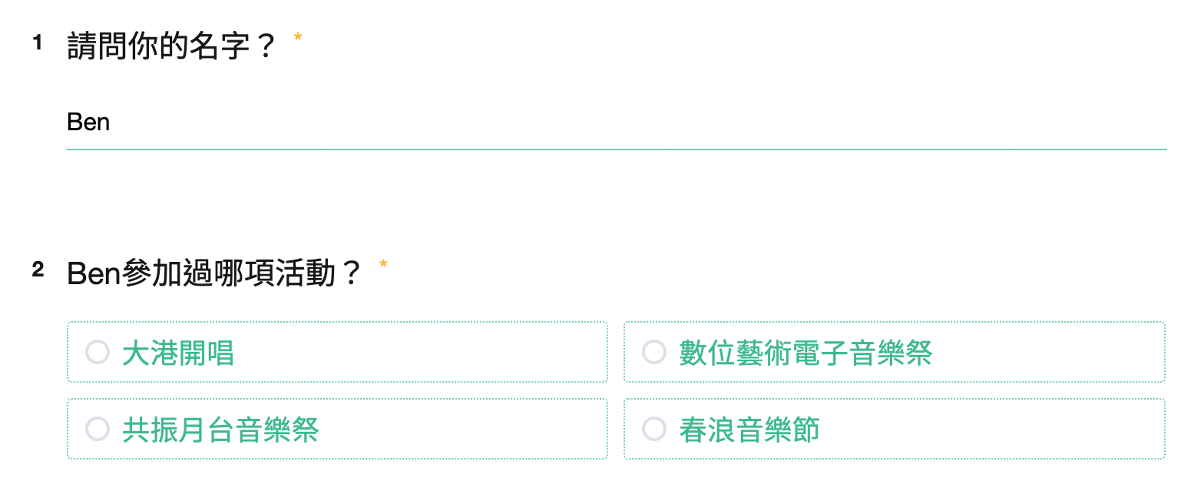
Preview:
Frequently Asked Questions
Can I tweak the Style (color, size...) of the text from the Insert Dynamic Fields?
The style of the text from the Insert Dynamic Fields cannot be modified. The text size is fixed at 14, while the text color shifts based on the applied theme color (assuming the answer is inserted in the Rich Text, regardless of the applied title color, the text color will be the default gray). Nevertheless, it is suggested that you edit the Style of the surrounding text to highlight the inserted dynamic fields.
Summary
The Insert Dynamic Fields feature is ideally used with correlated question groups to aid in a more efficient survey creation process!



