After unsubscribing, you are still able to distribute and fill out surveys as usual, with most features staying functional. The key difference though, is the inability to access respondent data collected under the PRO features. Any PRO features utilized during your subscription cannot be edited after unsubscribing and certain features unavailable once you unsubscribe.
In case your survey employs PRO features to collect responses, be aware that viewing any new response(s) won't be possible. On your Chart Report and Data Report pages, you will notice a blue reminder window reminding you to upgrade to see the response(s). To view all responses, you'll need to go back to a PRO plan again.
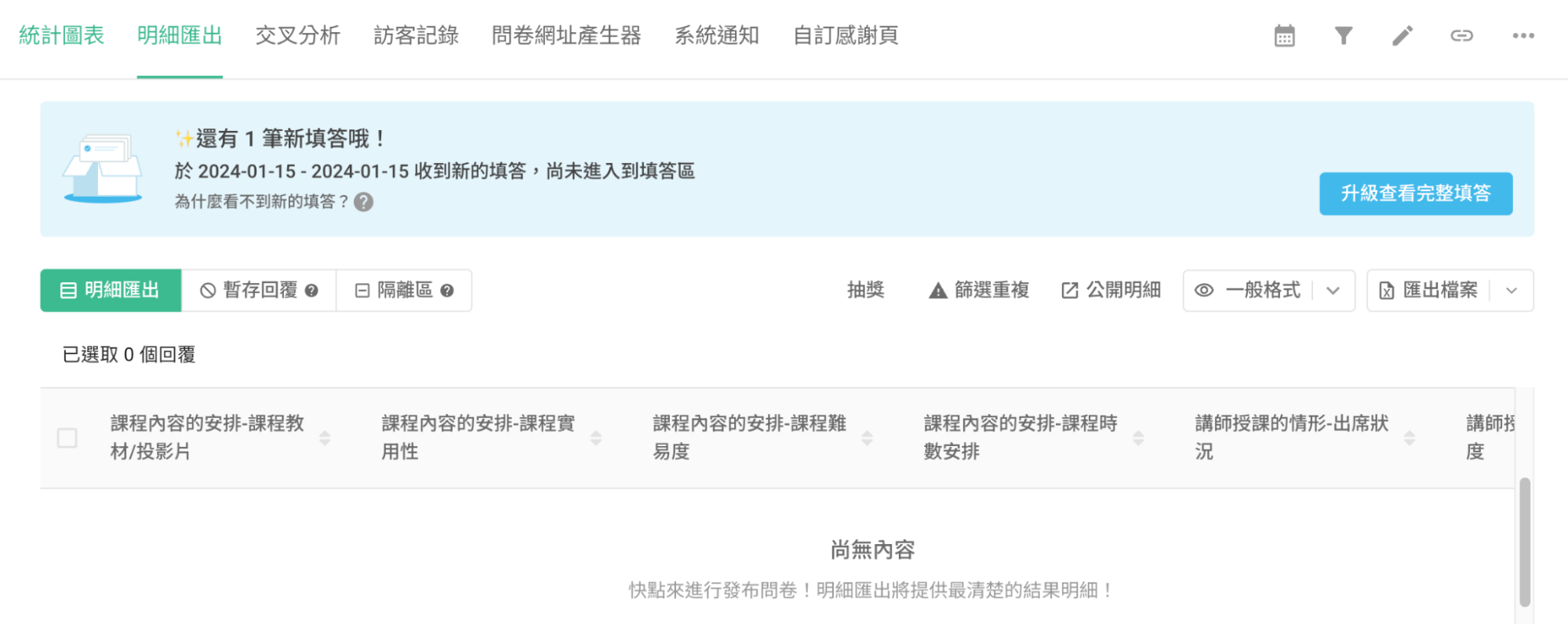
If you don't intend to continue using the PRO plan in the future, it's advisable to remove the PRO features from your survey before unsubscribing or before the plan expires. This way you'll be able to view all response(s) once your plan reverts back to the BASIC plan.
Here are the common PRO features you'll find in the survey:
Setup page
Title Alignment, Page Background Image, Thank-you Banner, Redirect Button, See Results Button
Here's a closer look at the Redirect Button:
To move the "Redirect Button" to an unused PRO feature status, make sure to enabled the "Redirect Button" and input the default SurveyCake button text and button URL.
Default button text: Create your SurveyCake
Default button URL: https://www.surveycake.com/en/why-surveycake/basic?utm_source=survey&utm_medium=referral&utm_campaign=thankyoubtn_website

In the BASIC plan of the survey, the "Redirect Button" is enabled by default and the default button text and URL are pre-entered. You can only close this button or customize its text and URL in the PRO plan. If the feature status in your survey is closed, or if you've added your own text and URLs, the system classifies this survey as having used the PRO feature!
Custom survey closed message, Back Button, Calculation Mode, Serial Number, Response Limit, Survey Period
Review Before Submit, Connect Google Drive, Isolate By Response Time, Isolate Duplicates, reCAPTCHA
Google Tag Manager, Google Analytics 4, Facebook Pixel
Build page
Questions: File Upload, Single Line Text-Verify Input API
Question Settings: Label, Identifier and Default Value, Hide, Unrepeatable, Timer, Shuffle Option Order
Option Settings: Skip logic, Conditional branching, Option quota, Hide, Label, Identifier
Results page
Notification: Self Email Notification, Custom Email Notification, Respondent Email Notification, Webhook
Custom Thank-you Page
Keep in mind that once you're back to the BASIC plan, editing any PRO features is out of the question. Furthermore, certain features do become nonfunctional after unsubscribing, like:
Inability to cancel or modify the "Skip logic / Conditional branching" setting
Inability to cancel or adjust the "Survey Period" setting
Unavailability of the "File Upload" functionality, which needs to be removed from the survey to be filled out and submitted normally.
Unavailability of any "Tracking Code" (e.g., GA4, FB Pixel, GTM) and the "Custom Thank-you Page" feature
To prevent inconveniences, remember to remove PRO features from your survey before unsubscribing or the expiration of your PRO plan. This ensures a smooth survey operation once it switches back to the BASIC plan.
To learn the complete features of all plans, please visit Pricing.



