Other than the common features shared by all questions: Required, Note, Hide, Timer, Indent, and Style, Add Media can help you insert pictures and video clips to make your survey lively.
Regardless of the question type, you can click on Add Media in all question settings to add images or videos to the question!
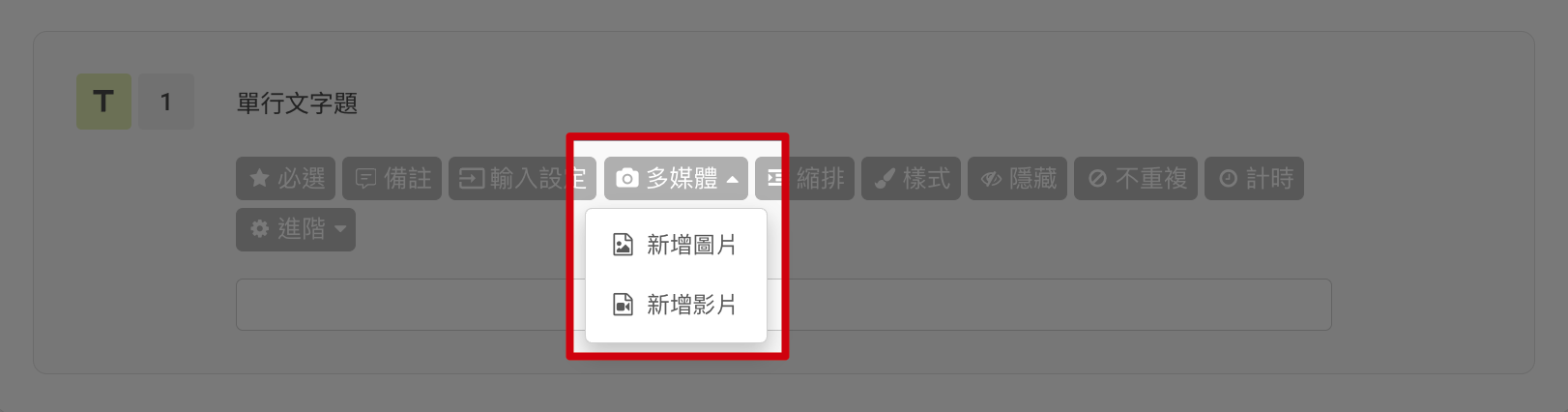
To create a more engaging survey, we recommend you to add media on Rich Text.
For instance, if you want to introduce SurveyCake's latest online course, select Rich Text.

Below are ways to add images and videos:
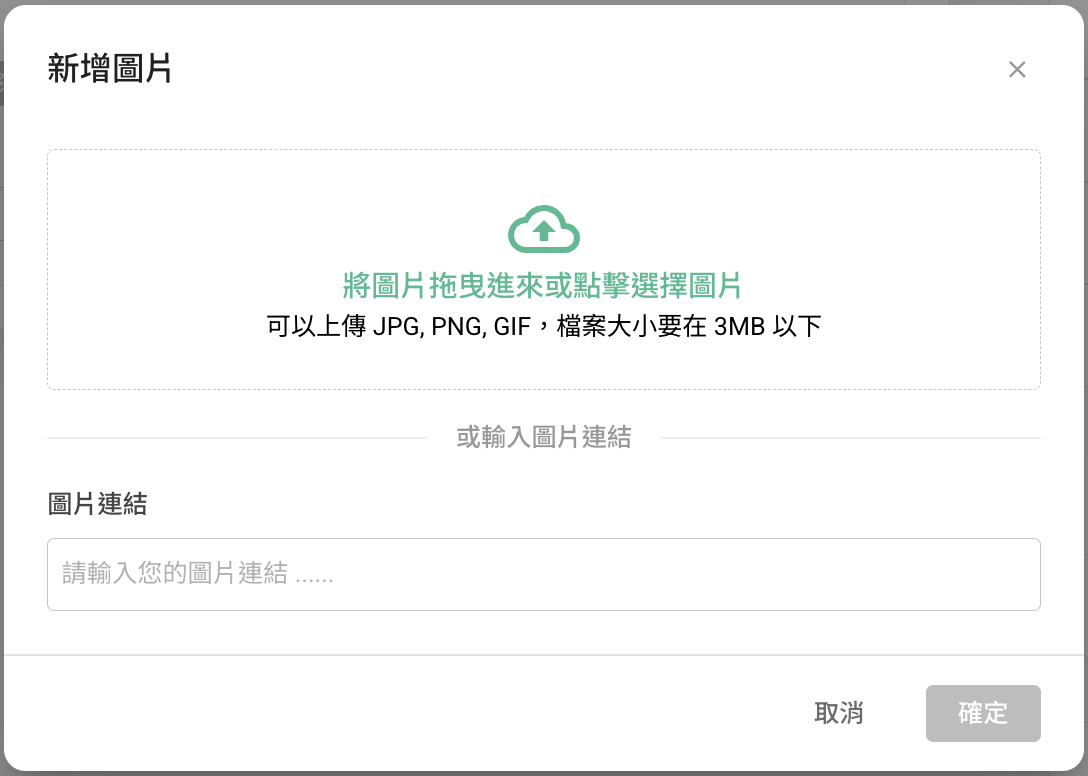
Add Image:
Upload Image file
Input Image URL
Add Video:
Inserting a YouTube Long Video: Simply enter the complete YouTube video URL (e.g., https://www.youtube.com/watch?v=WjY-iUI73yg&pp=ygUDY25u) to successfully embed it!
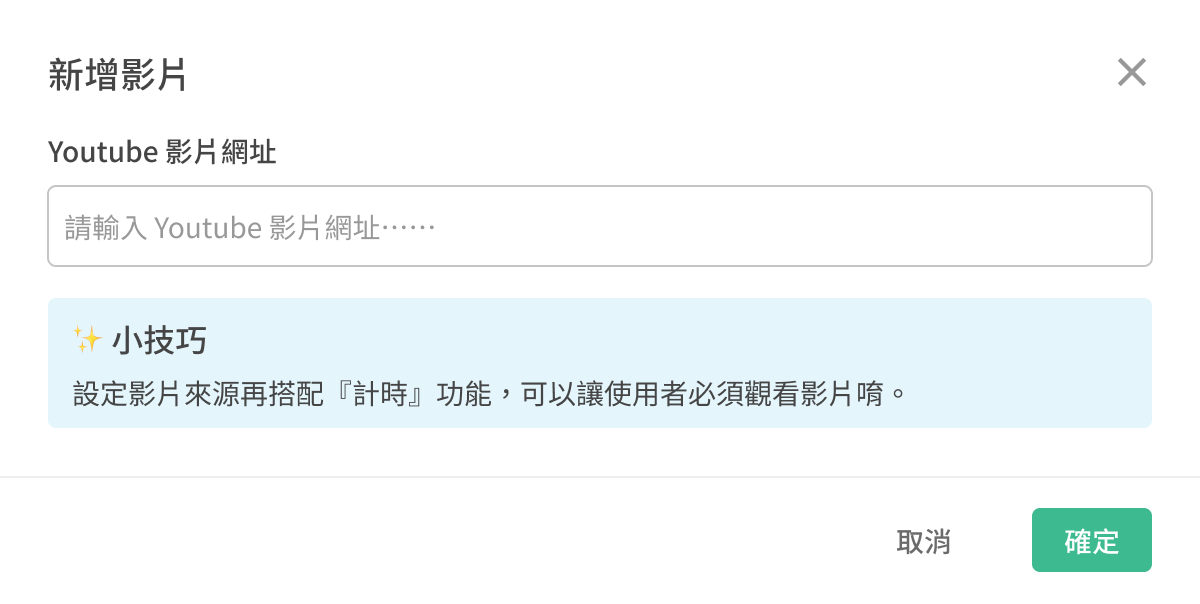
Inserting YouTube Shorts: Replace the first part of the Shorts link (e.g., https://www.youtube.com/shorts/PLsN9mtwIKM) https://www.youtube.com/shorts/ with https://www.youtube.com/watch?v= and then add the video ID (PLsN9mtwIKM) at the end.
Successfully adding YouTube Shorts video
Reminder: Since YouTube shorts are vertical videos, if you watch them directly on a computer, the video might not fill the entire screen (there will be black bars on the sides of the video). However, if you watch the short video directly on a mobile device and enter the full screen mode, it will display in full screen!
When you use Rich Text along with Add Media features, it becomes very simple to create a product introduction page within the survey!

Of course, other question types can also leverage Add Media to make questions more visually engaging!
FAQs
Will the views count on Youtube if the respondents watched my Youtube video through the survey?
No. According to current YouTube view counting rules, views from embedded videos on web pages aren't counted towards YouTube's view count. Therefore, watching videos in a SurveyCake survey won't count towards YouTube views.
Summary
All question types share Add Image. This function is a great way to inject some fun into your questions so don't forget about this tip next time you design your survey!



