SurveyCake's questionnaires can be embedded in the Google Tag Manager (GTM) code management system to integrate multiple codes and provide one-stop management for tracking codes.
1、Set up a GTM account
To register, go to the GTM website and enter the company name as the account name. Then, in the container field, type your domain name to set the container.
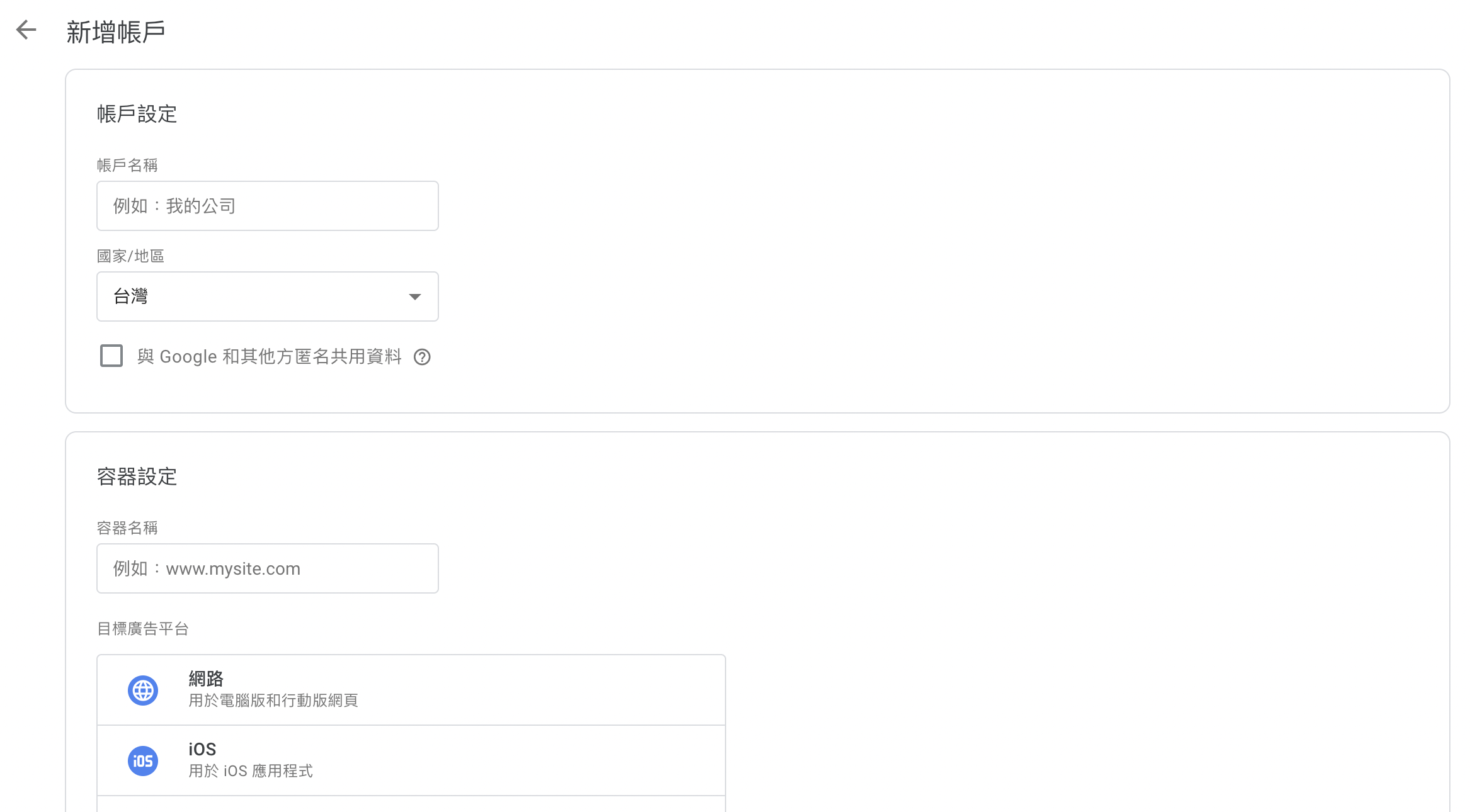
2、Obtain a number for GTM Tools
After setting up the account and container names, select "Web" in the target advertising platform below and a window for GTM installation will appear.
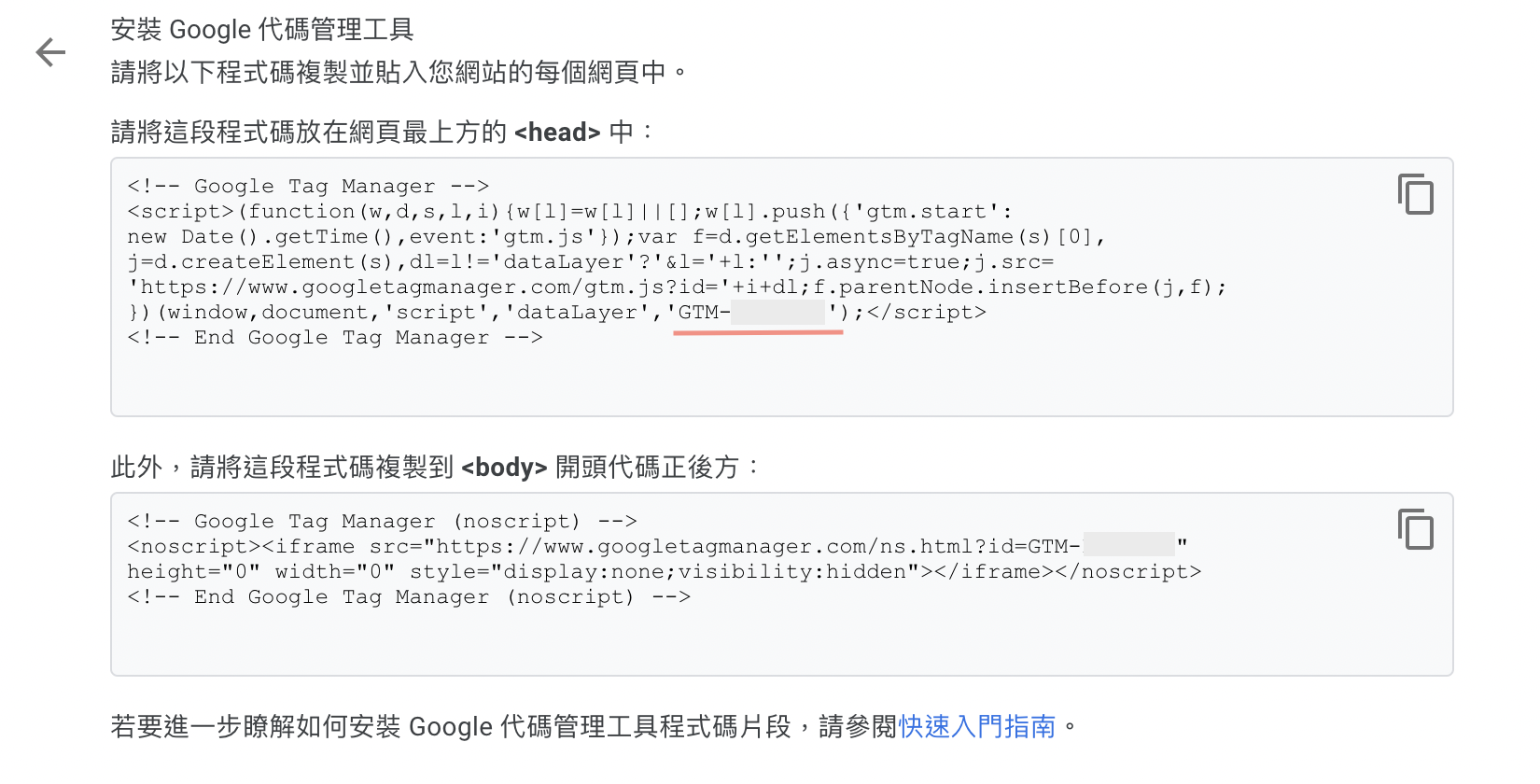
The GTM code is the red-underlined number
3、Embed the GTM Tools number in the questionnaire
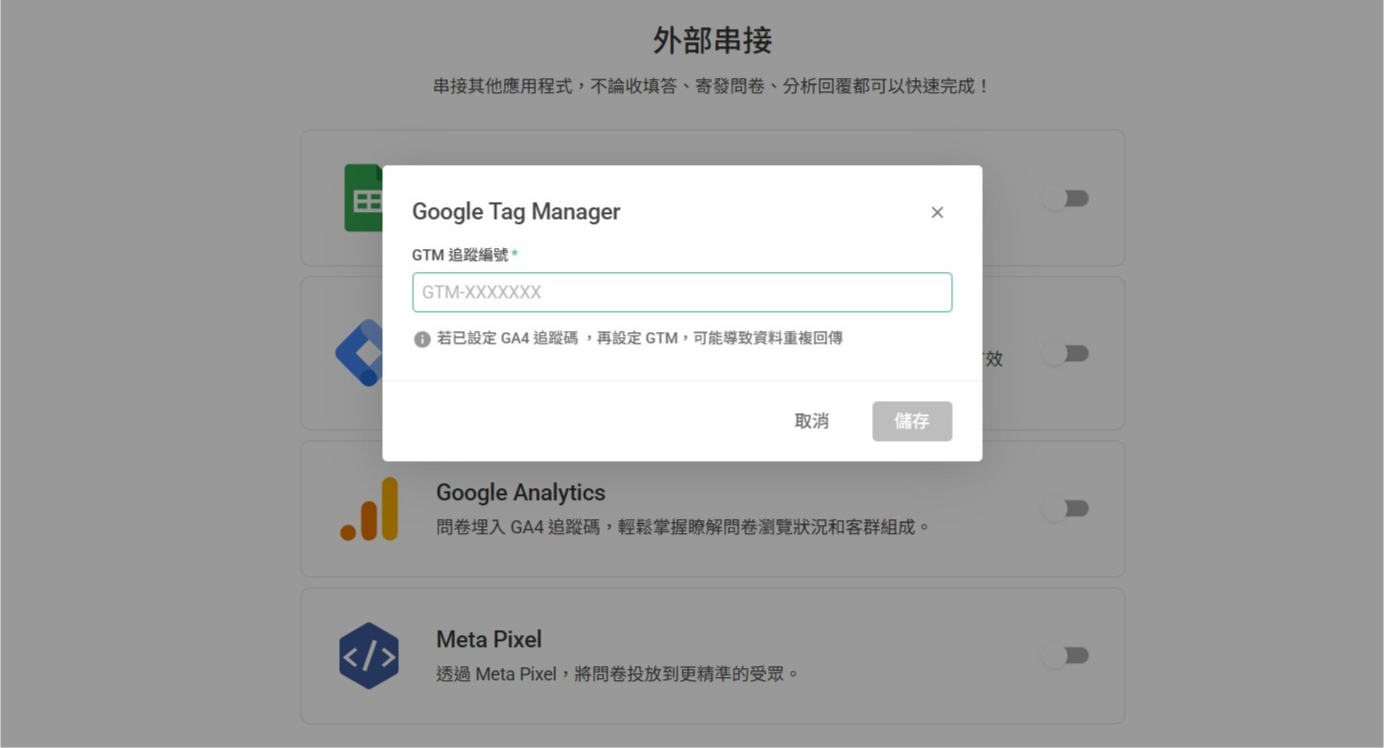
Next, log in to SurveyCake and open the questionnaire where you want to embed the tracking code. On the Build page, click the Integration button at the bottom of the left sidebar to open Google Tag Manager. Enter your GTM tracking ID and click Save.
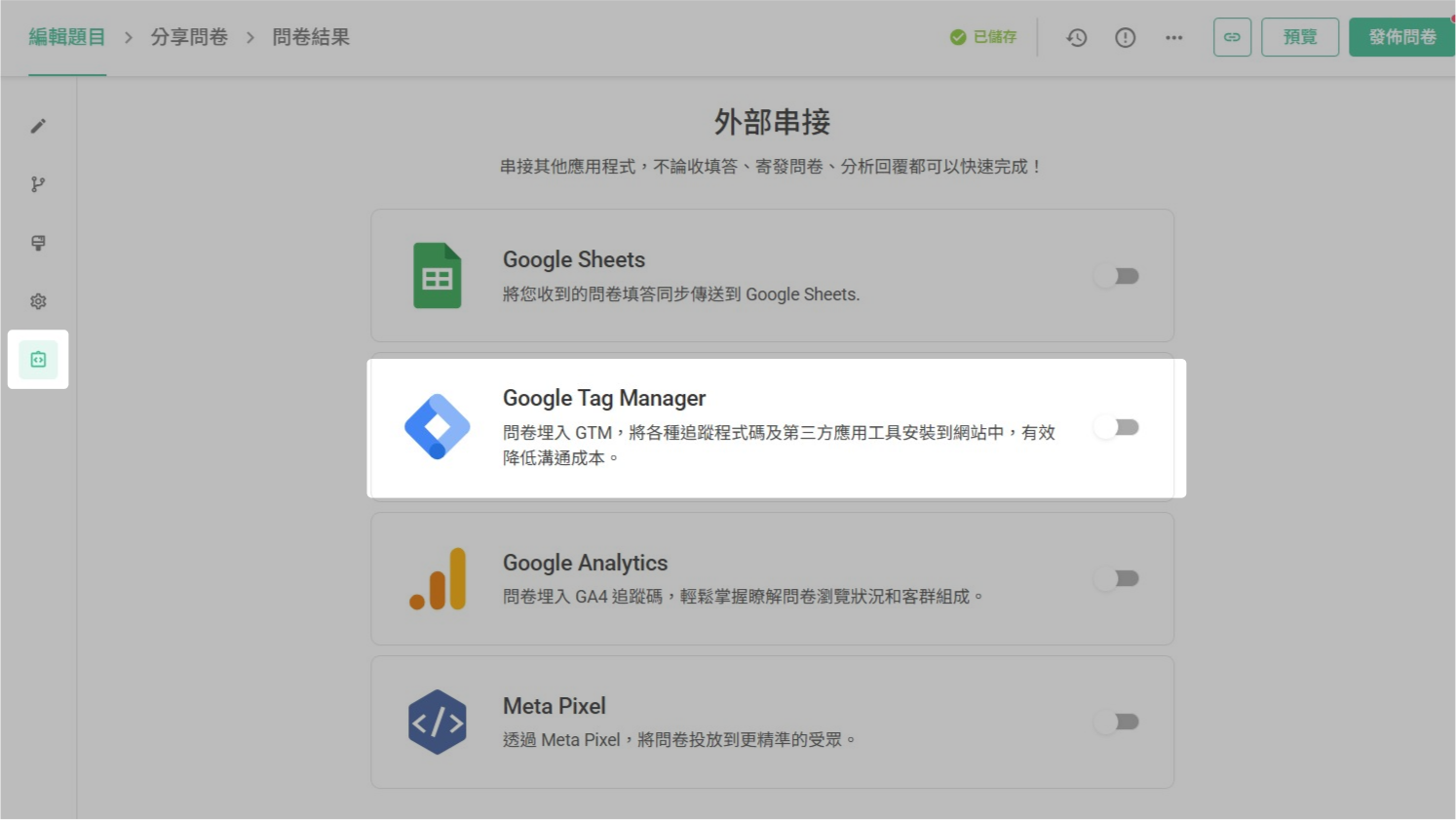
Open Google Tag Manager
Enter your GTM tracking ID and click Save
After completing the questionnaire, embed the tracking code into the questionnaire and immediately begin tracking the questionnaire's browsing status in the backend with GTM.
Suggestion: If the GTM tracking code is set after the GA4 tracking code, it is possible that data will be fetched repeatedly.
Additionally, suppose you would like to learn more about how to integrate GTM with GA4, Google Ads conversion tracking/remarketing tracking, Meta Pixel. In that case, you can refer to the SurveyCake blog article: How to embed GTM tracking in surveys while managing multiple tracking platform codes?
For those interested in learning how to integrate Line Tag with GTM (a marketing tool that helps analyze behaviors taken by friends of Line official accounts or LAP advertising audiences), please refer to: A Must-Learn for Marketers! Install LINE Tag in Surveys with GTM to Easily Track "Form Submission" Events!
Summary
It is perfectly fine if you are unfamiliar with coding, as SurveyCake makes it simple to keep track of your questionnaires.



