Are you concerned about the potential risks of personal data leakage in survey responses when several department members share a single SurveyCake account? You can address this concern by using "Encrypted Questions" to protect respondents' personal information.
The "Encrypted Question" is a privacy protection feature designed to secure the personal information provided by respondents. This question type encrypts sensitive data shared by respondents, ensuring rigorous protection during the survey process and preventing malicious exploitation of user data.
We will now demonstrate how to use the "Encrypted Question" on SurveyCake.
Firstly, after creating the survey, drag and drop a Encrypted Question to your survey.
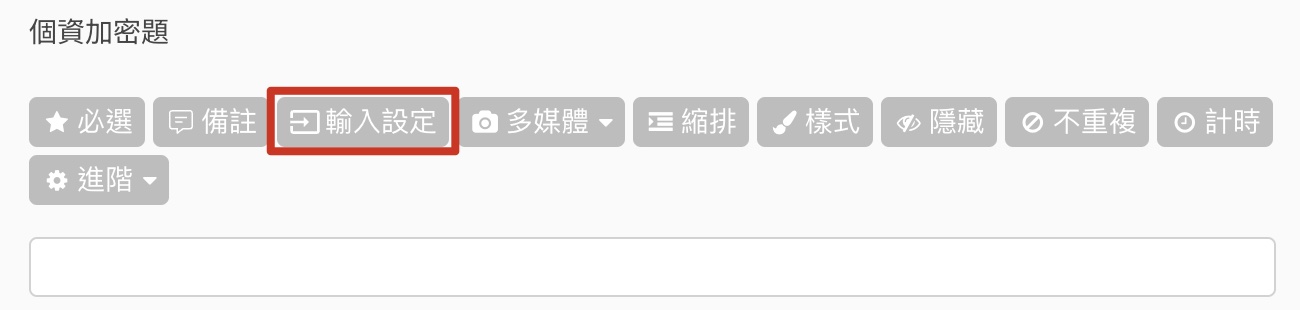
Click Input Settings and then enable Text Validation to set up encrypted questions, such as "Name," "Phone," "E-mail," and other similar questions.
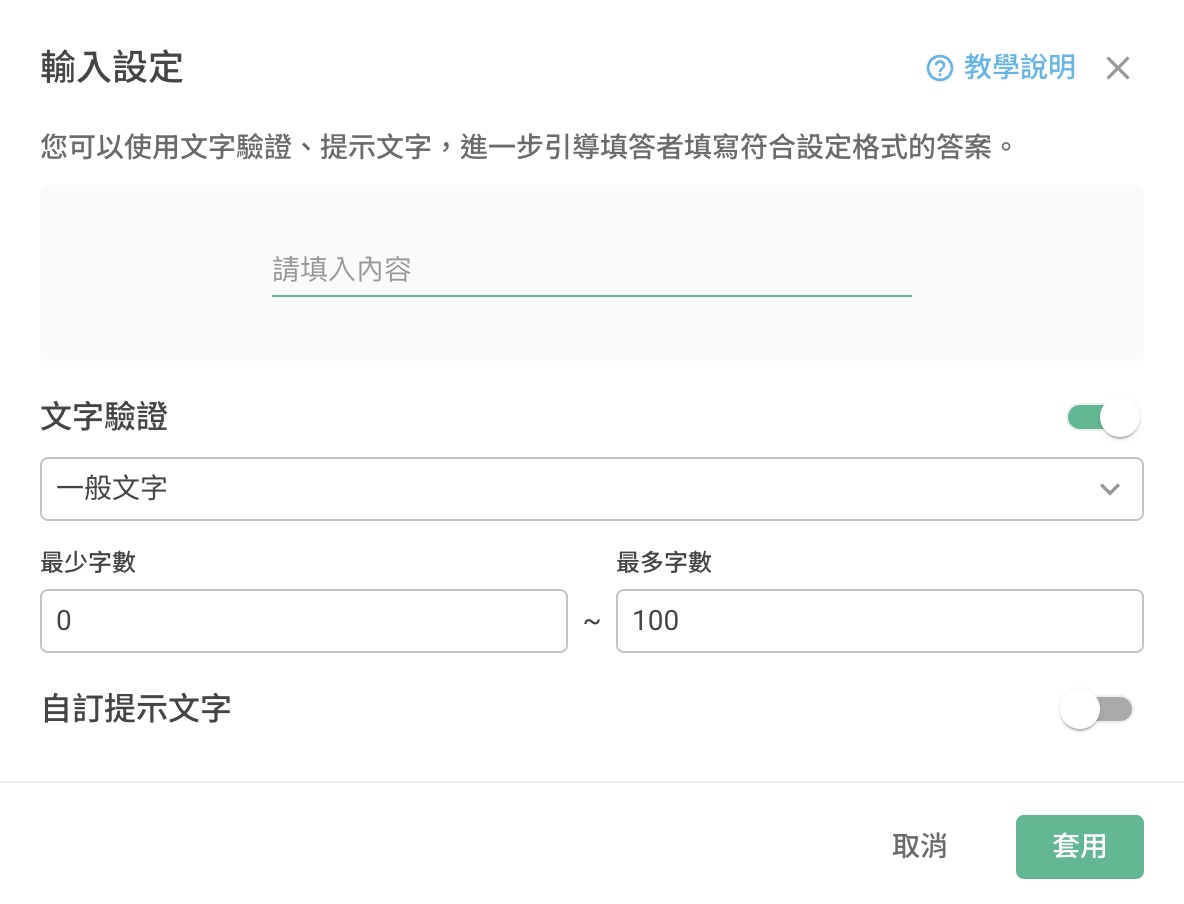
Enable Text Validation
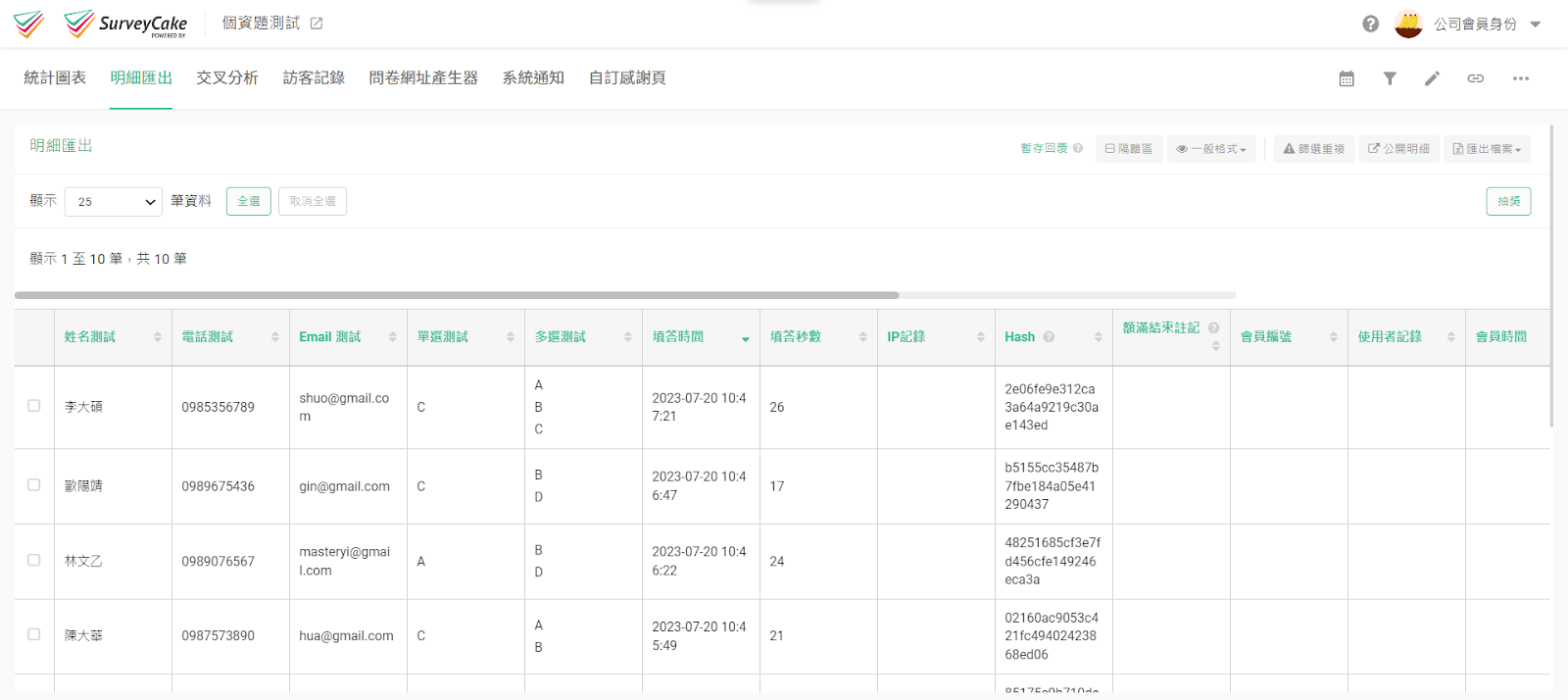
To protect user's privacy, not everyone has the authorization to view this detailed data. Only "Super Admin" and authorized accounts have the access to view survey results, reducing the risk of data leakage.
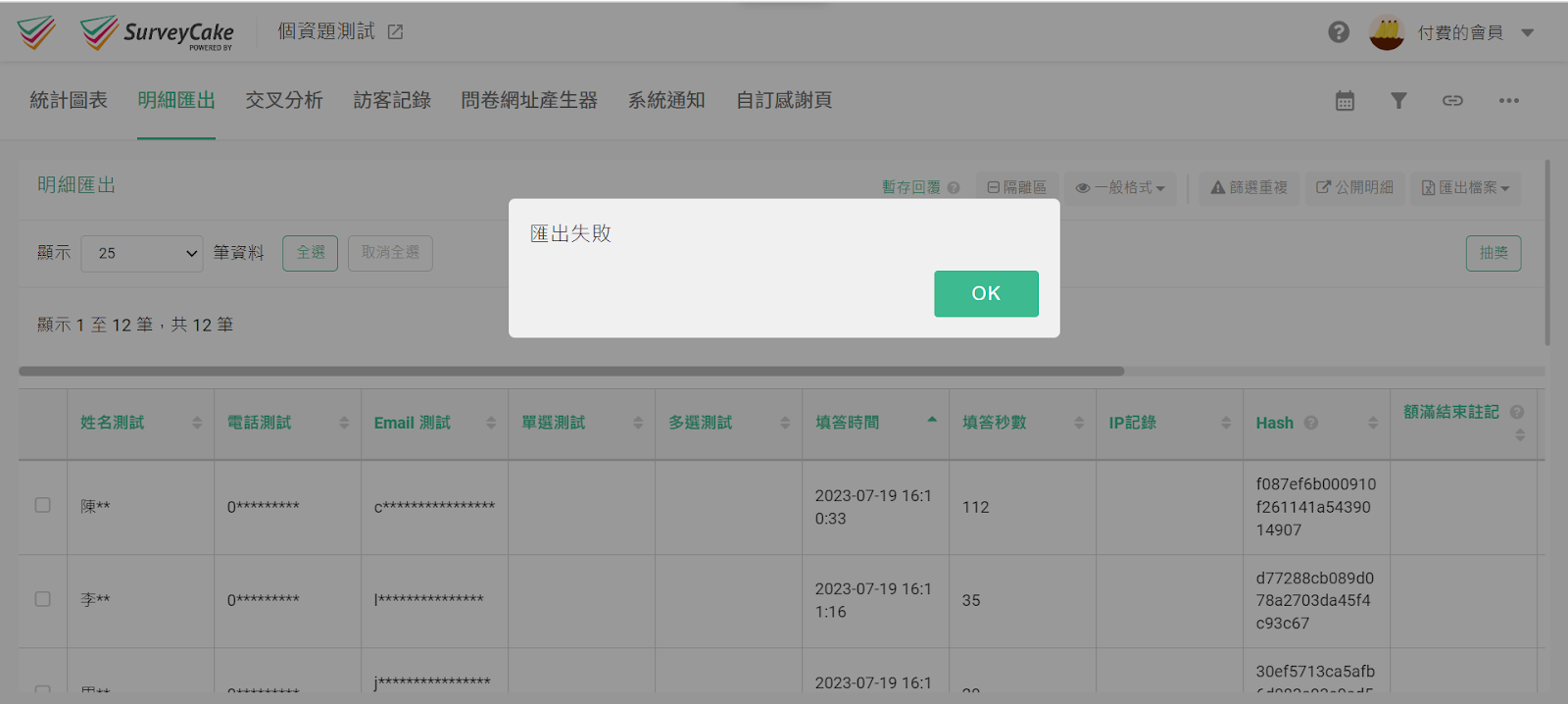
For unauthorized accounts, such as admins, members, and guests, data collected from the Encrypted Question will be encrypted with "*" as shown in the image below:
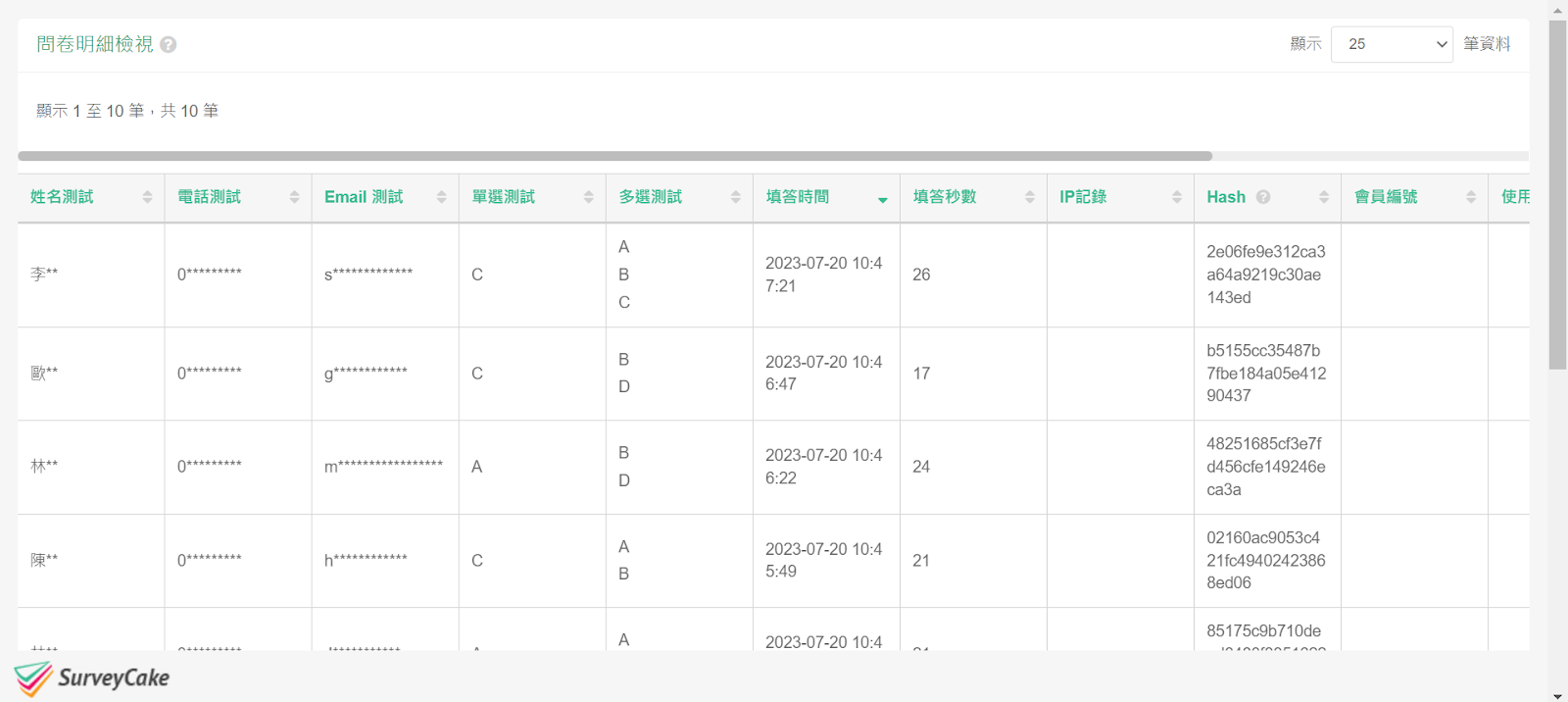
Non-Encrypted Questions
Encrypted Questions
Unauthorized accounts will also be unable to export the details.
Our corporate clients come from many top global companies, and they are trusted by customers in security-oriented fields such as finance, insurance, and technology.
The Encrypted Question feature mentioned above is currently limited to use within the SurveyCake Enterprise. Please Contact Us for more information.
Summary
Personal data is an indispensable concern in today's society. SurveyCake, with its appropriate encryption techniques and privacy protection methods, ensures that user information receives effective safeguards in our hands



