URL such as official website, fan page, event page, etc can be specified during survey design with Custom Thank You Page. Respondents are redirected to the specific page after survey is completed and submitted. This is a chance for remarketing during survey design and better communication with potential customers.
How does Custom Thank You Page work? Let's start step by step!
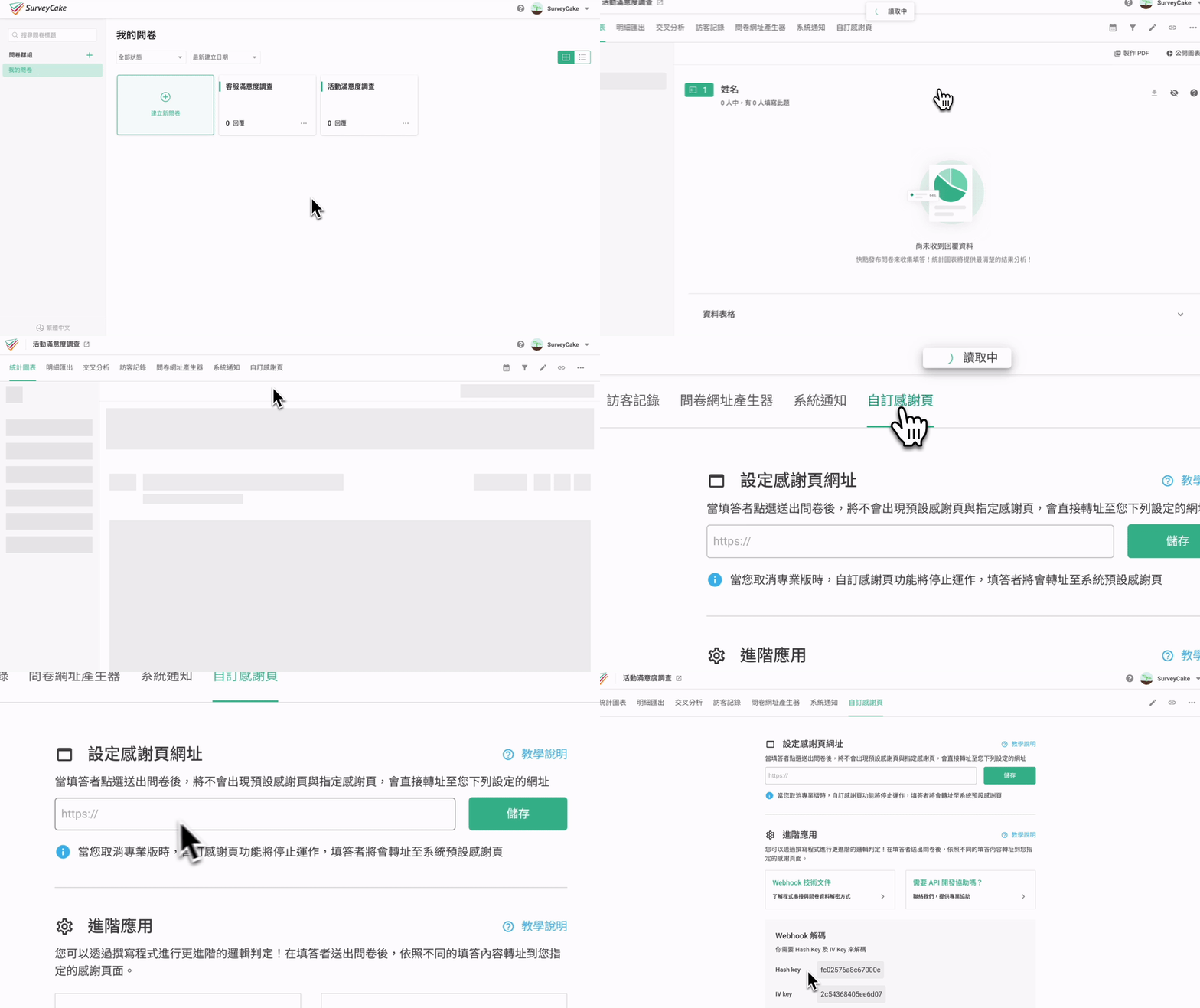
First, select a survey, enter backend data system and click on Custom Thank You tab on the top. In URL setting under Custom Thank You, click ON and enter URL, then save. It's done!
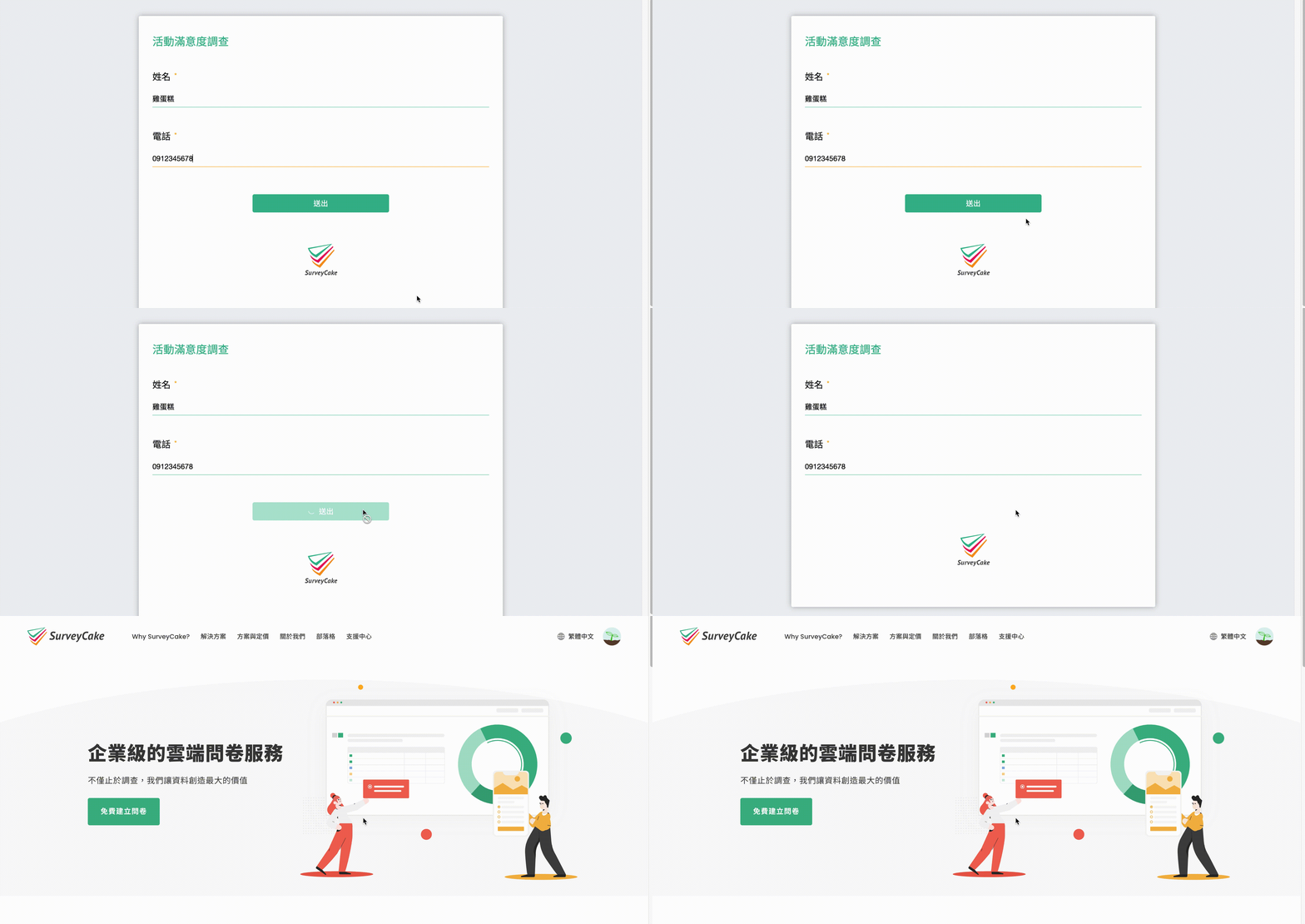
Let's use SurveyCake's official website as an example, enter URL for the official web in Custom Thank You and click save.
This way, respondents will automatically be redirected to the specified official website after survey submission.

Reminder: no submission when entering preview page, user will not be redirected to the specific page! For testing, it is recommended to enter survey directly and will be redirected to the specific page after submission!
What's even more special is that advanced logic decisions can be made through programming! In other words, URL redirection is different depending on responses! Such convenient and customized function is useful for survey design and marketing! How does it work?
Instructions for webhook documents can be found under advanced applications of Custom Thank You!
Frequently Asked Questions
What's the difference between Custom Thank-you Page and Redirect Button?
The biggest difference between these two functions is: Custom Thank-you Page allows respondents to be directly redirected to the specified web page at the moment they submit the Survey, while the Redirect Button requires respondents to manually click the redirect button after submitting the survey and entering the Thank-you Page to redirect to the designated web page (the text displayed on the button can also be adjusted).
You can plan the way of further marketing to respondents after submitting the survey based on the difference between the two.
For example: If you have a promotional event that you want to expose to all survey respondents as much as possible, you can set the Custom Thank-you Page to forcibly guide traffic to the introduction page of the event; if you want respondents to refer to other relevant information if interested after submitting the Survey, you can set it with the Redirect Button.
Summary
Want to bring more exposure to your brand or generate more web traffic? Custom Thank You Page can effectively help you with remarketing!



