Have you ever finished setting up your questions, only to realize the question type isn't quite right?
For example, a question that should allow multiple selections was set as Multiple Choice, or the AI-generated question type doesn't fully match your needs.
With SurveyCake's Change Question Type feature, you can update the question type without deleting and recreating the question. This allows you to keep your existing content, make quick adjustments, and streamline your survey-building process.
In the survey editor, locate the question you want to modify. Click the Change Question Type button to open the list of available question types.
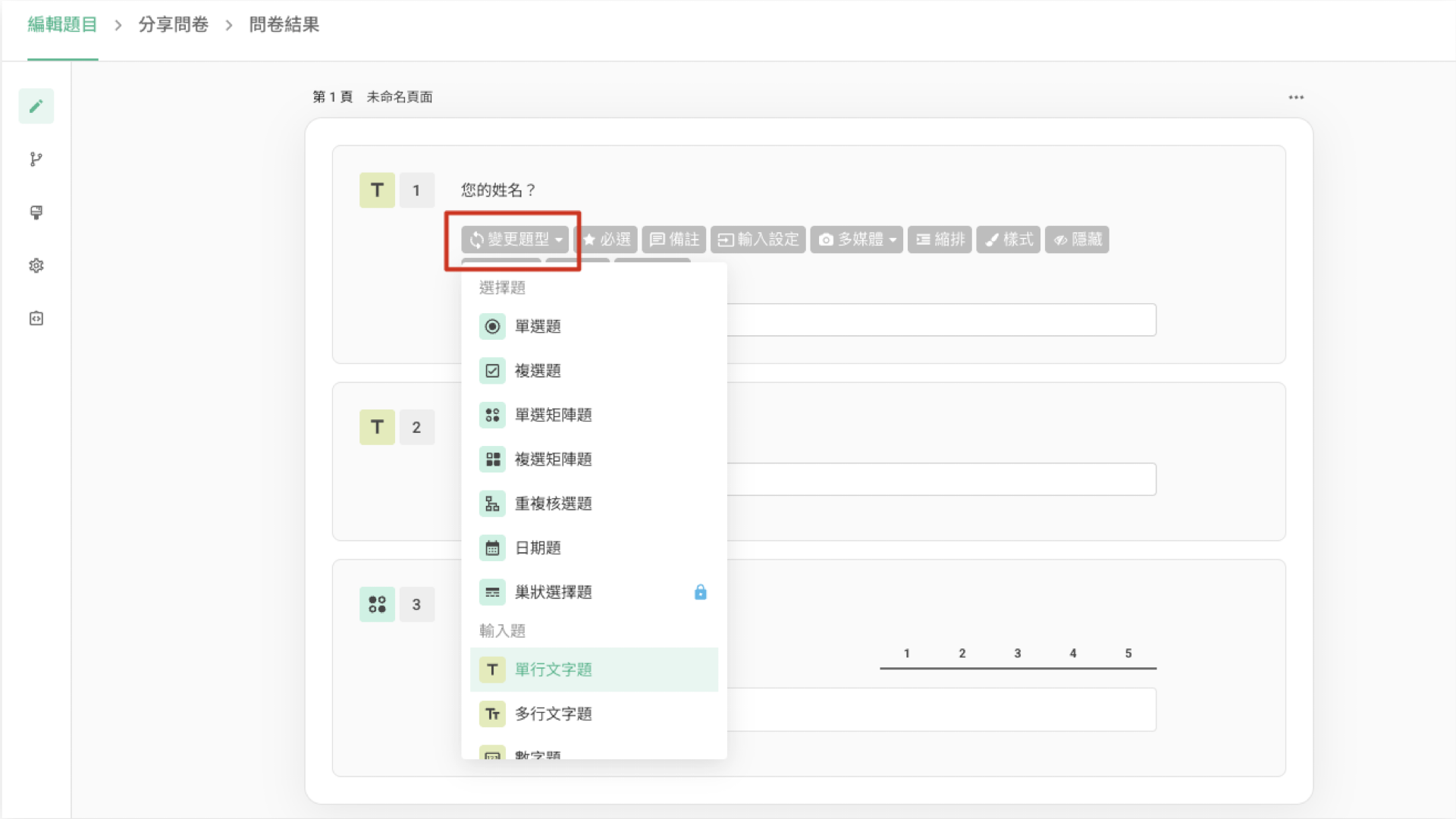
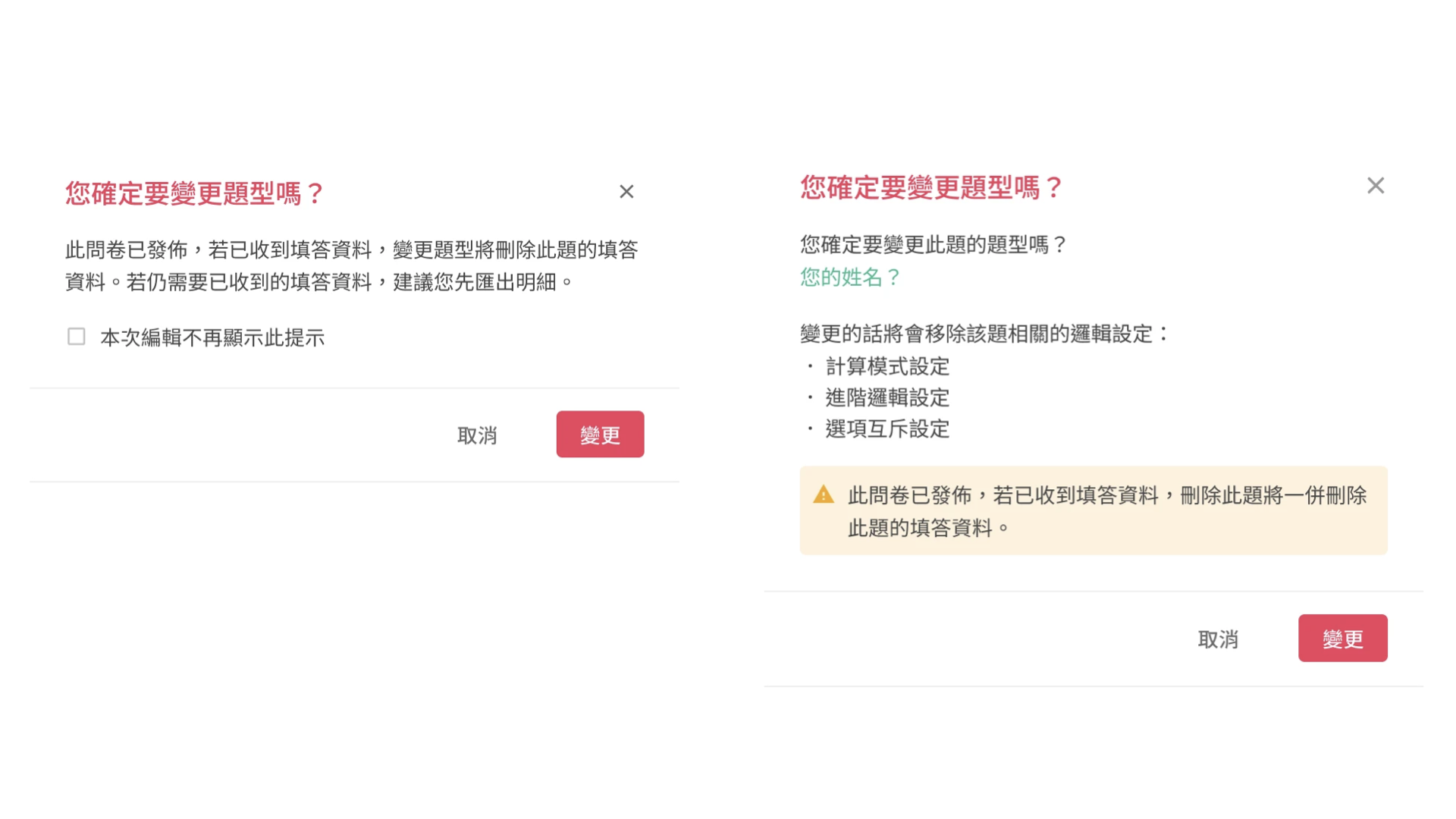
After selecting a new question type, the system will display a warning indicating that the change may affect existing data or settings.
For example, if the question has already collected responses, those responses will be deleted after changing the question type.
Click Change to proceed. The question type will be updated immediately.
Common conversion rules
In certain conversion scenarios, the system will preserve part of the original content:
Multiple Choice / Checkboxes / Ranking → Single Choice Matrix / Checkbox Matrix
Original options will be converted into matrix sub-options
The system will automatically generate default matrix columns (e.g., a satisfaction scale)
Single Choice Matrix / Checkbox Matrix → Multiple Choice / Checkboxes / Ranking
Matrix sub-options will be preserved as answer options
When you cannot change the question type
If the question is being used by other features, changing the question type will not be allowed. For example:
The answer is piped into another question or the thank-you page
Logic is applied to the question (e.g., Calculation Mode, Advanced Logic, or Exclusive Options)
The question is used as a branching or jump target
The question is used as a source for repeated questions or matrix questions
Note: Changing the question type may remove certain settings (such as logic or branching). If the question is currently being used by other features, please remove those dependencies before making changes.
FAQs
Will existing data be preserved after changing the question type?
If the survey has not been published, changing the question type will not affect response data.
However, if the survey has already been published and responses have been collected, the responses for that question will be deleted. We recommend exporting and backing up your data before making changes.
Why did my logic settings disappear after changing the question type?
When changing the question type, the system will remove any logic associated with that question (such as branching, Calculation Mode, or Advanced Logic).
Why are some question types unavailable?
Some question types are only available in specific plans. If your current plan does not support them, those options will not be selectable.
Summary
With the Change Question Type feature, you can flexibly adjust question types without rebuilding your survey, making it easier to refine your setup and improve your workflow.



