To protect your privacy and data security, the SurveyCake account cannot be changed after it is created. The following are the instructions for how to change your account for the two account creation methods:
Sign up for SurveyCake with email account
If you have used your email account and password for registration, SurveyCake will adopt this email account for identification, just like your ID number, which cannot be changed so as to ensure your privacy and data security.
Therefore, if you wish to change your email account, please sign up again with a new email account directly. After creating a new SurveyCake account, you may move your surveys and responses from the old account to the new one through Survey Transfer.
Sign up for SurveyCake with social account
1. Changing your Google or Facebook account
If you have signed up for SurveyCake with your Google/Facebook account, due to security and privacy concerns, you cannot change to a new account or switch to login with email and password. If you need to change your Google or Facebook account, we recommend that you register with a new, unregistered, and unverified email address, and then use Survey Transfer to move the surveys and response data from the old account to the new one.
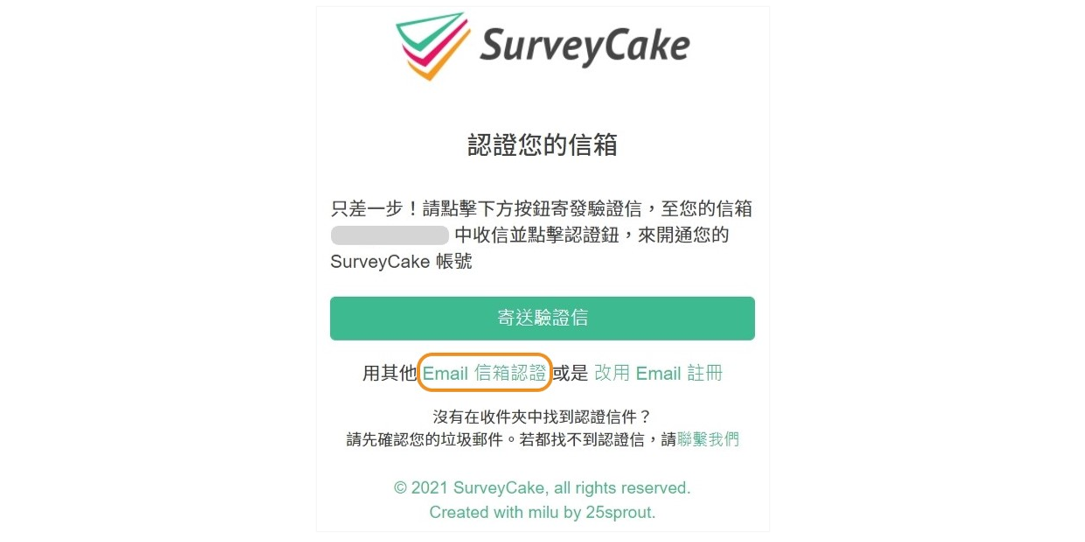
When you sign up with your Facebook account, the system will use the e-mail address associated with your Facebook account as your default SurveyCake email, to which a verification email will be sent. If you wish to change your contact email address, please click on use other "Email" in the email verification phase of the registration process. The renewed e-mail address is only used to receive notifications and does not affect login.
We do not support changing contact email that is signed up with Google.