In addition to general text, email, phone, and URL validation methods, SurveyCake now supports API text validation services. You can integrate your custom API into the survey, enabling real-time display of the returned string on the page. Based on the result from the API, it determines whether the validation for that question passes. This not only enhances response accuracy but also makes the filling process smoother and user-friendly.
Text validation APIs can be applied in various scenarios. For instance, validating a uniform invoice number in an expense reimbursement survey, or validating employee ID numbers when a company conducts events and assessments.
Take the 'Employee Performance Assessment Survey' as an example:
If an incorrect employee number format is entered, it will not pass the API validation, and an unvalidated prompt message will be displayed under the answer box (as shown in the red text in the left image below), and the survey cannot be submitted.
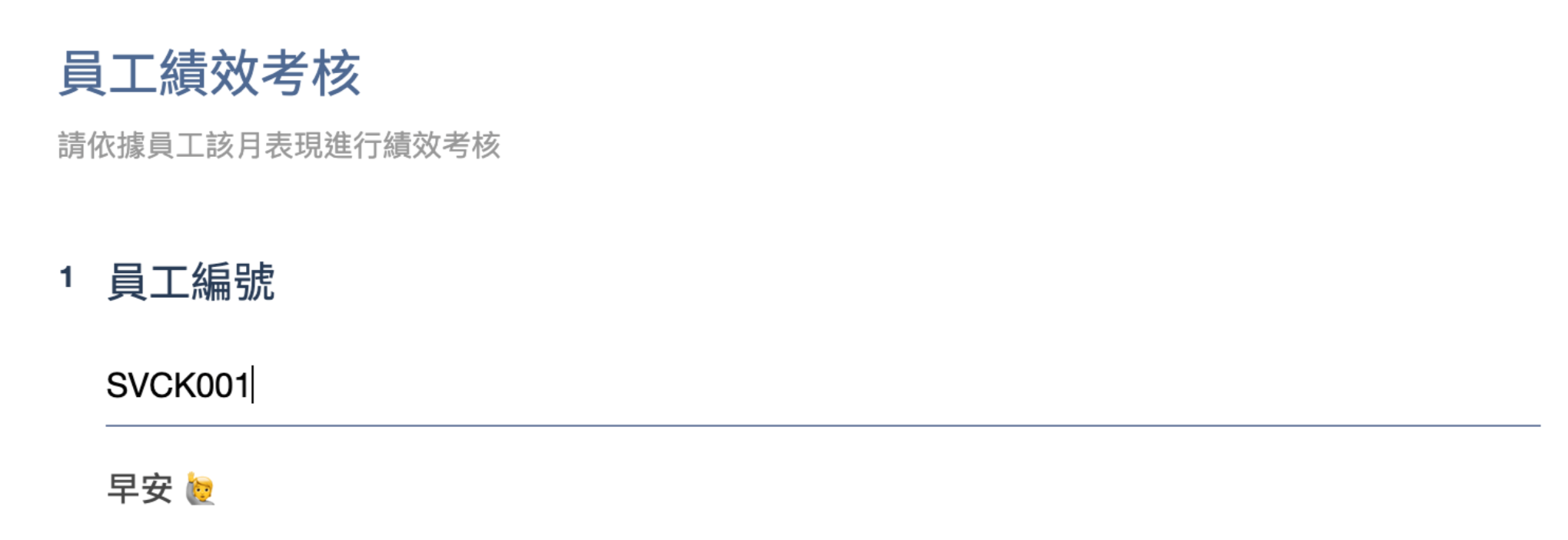
If the correct employee number format is entered, it will pass the API validation, and a validated prompt message will be displayed under the answer box (as shown in the gray text in the right image below), and the survey can be successfully submitted.
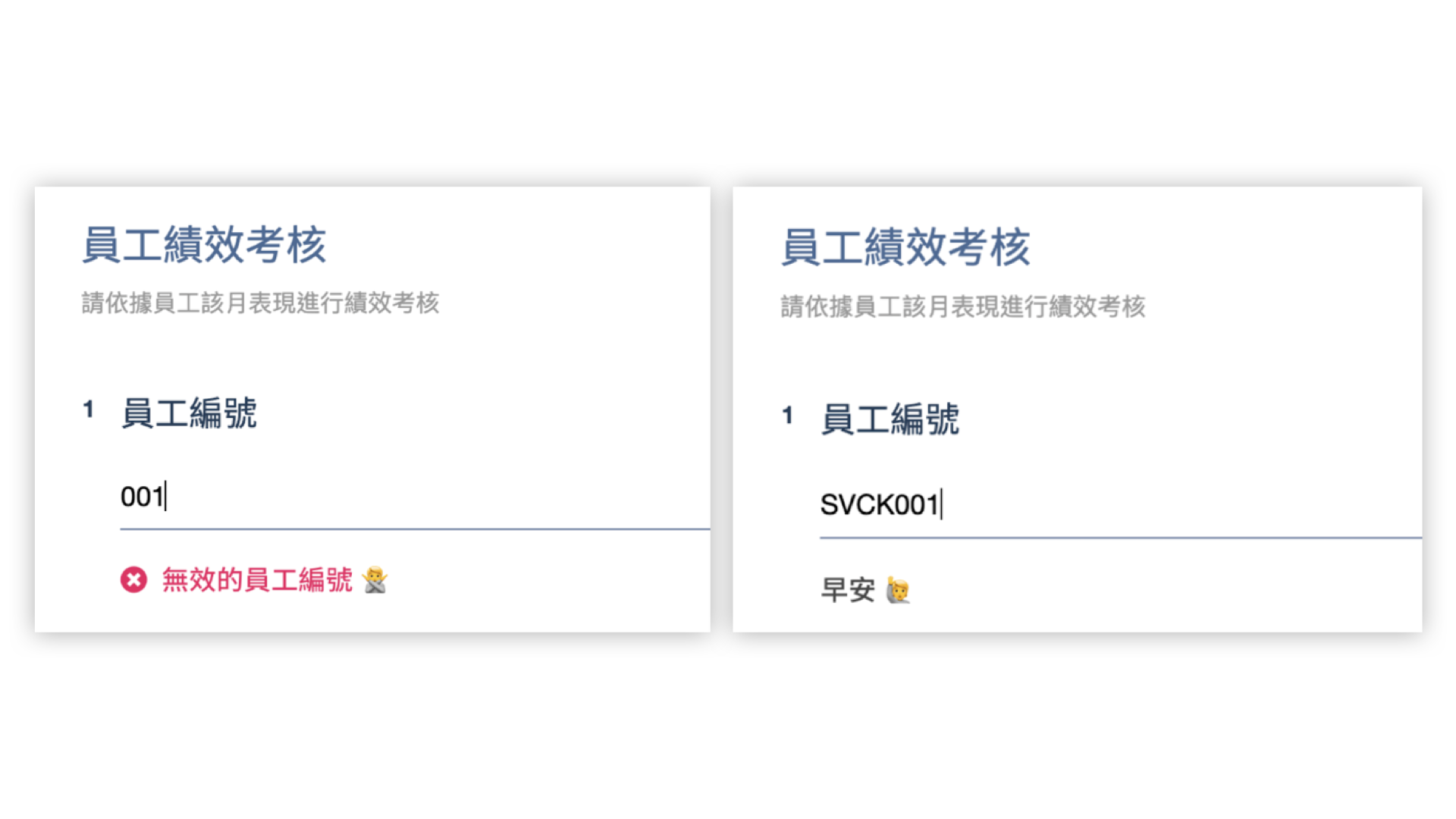
In this way, survey creators can establish a consistent response format for respondents in order to ensure data consistency. On the other hand, respondents can also clearly understand whether their responses meet the requirements of the questions.
Next, we will introduce how to set up a text validation API and its underlying operation:
Question Type Settings
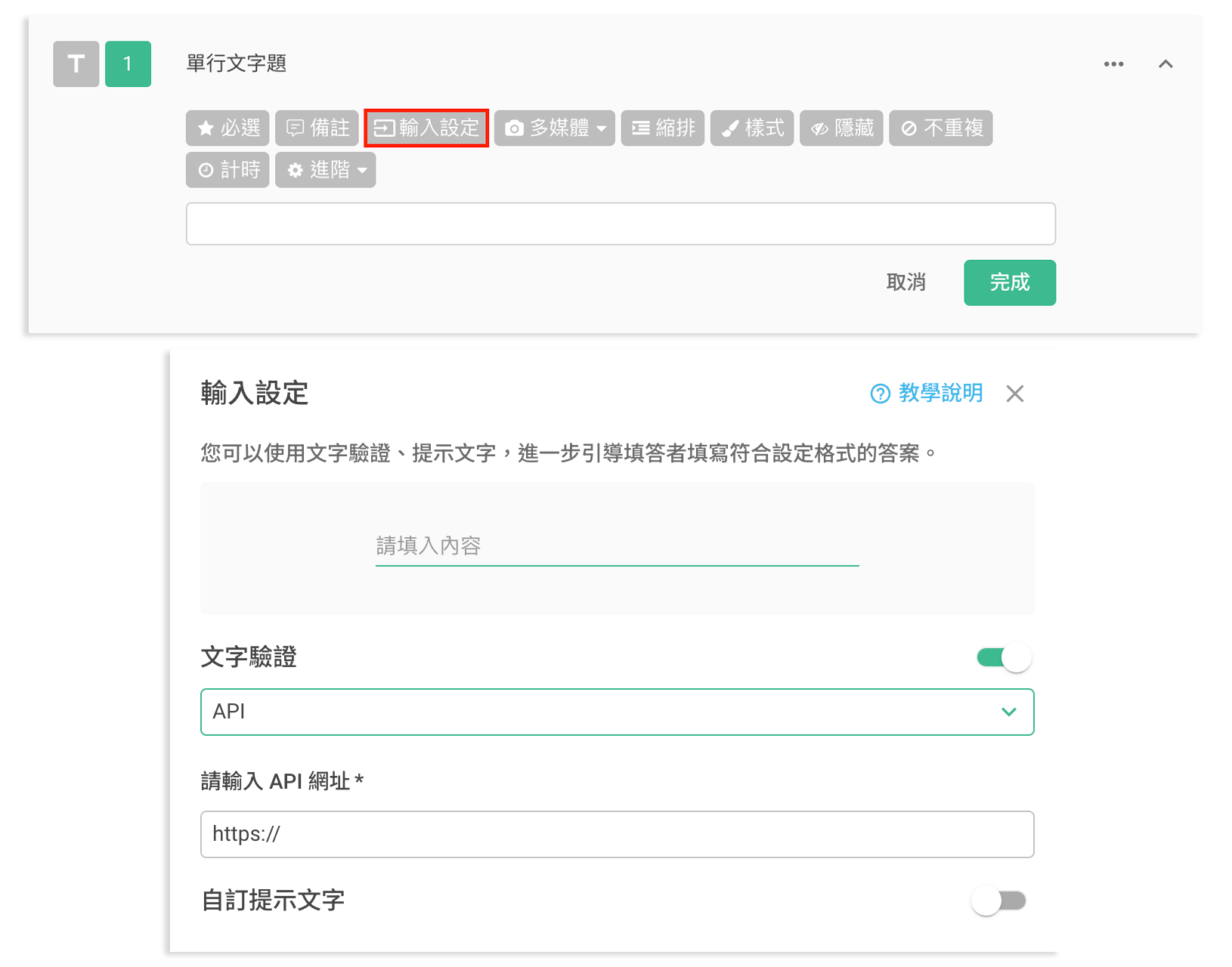
In the survey setup page, create a single-line text question or a paragraph question. Then, click on the Input Settings button in the toolbar and enable Text Validation and select the API. Paste your custom API URL. After clicking 'Apply' and the setting is done.
How to Operates the API
After completing the text validation configuration via the API, when a respondent answers the question, the system will use a POST request to send the survey ID and the question's value to the validation API.
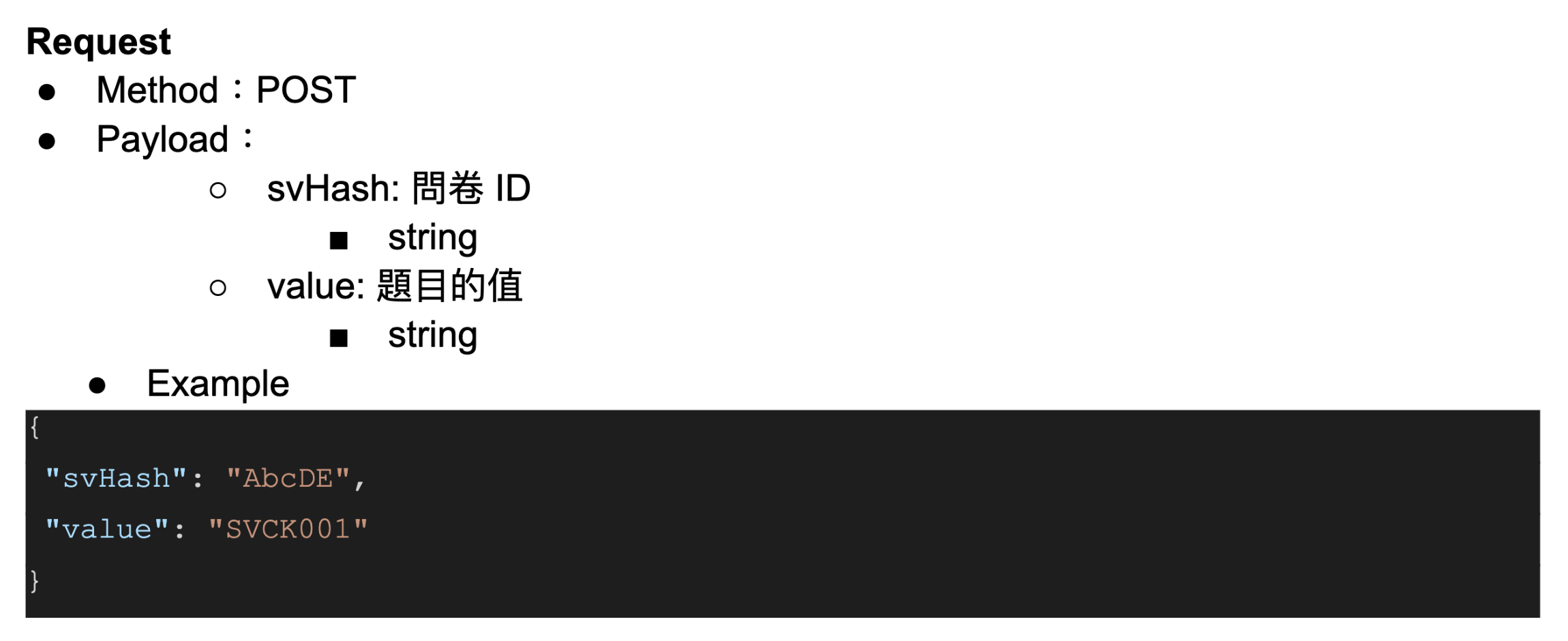
The validation API can verify the input values, allowing the system to return the corresponding format and display the validation result on the survey page in real-time, while also verifying if the question passes.
Using the example below: When the API's Status returns 200, the question will pass the validation, and the "msg string" returned by the API will be displayed on the survey page.
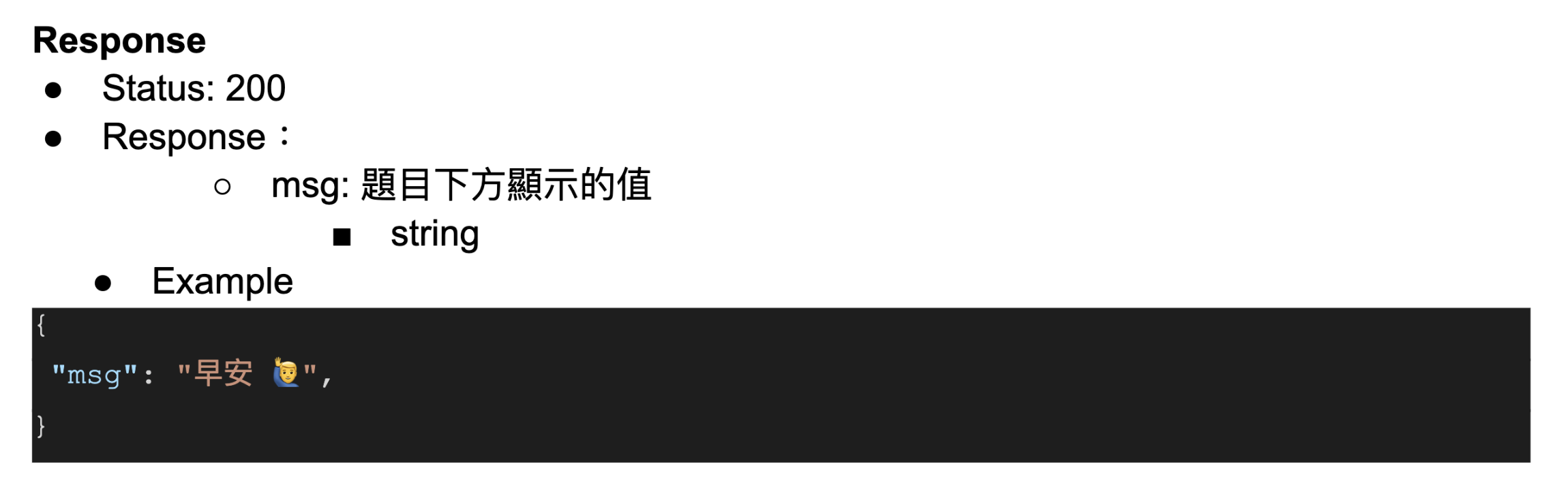
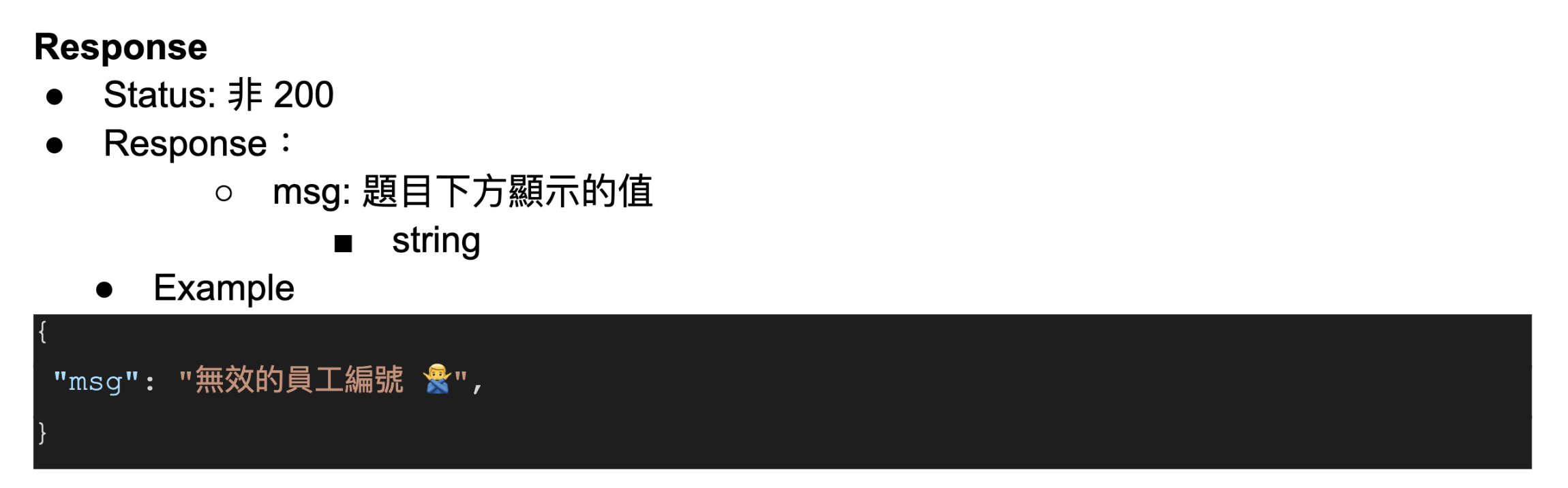
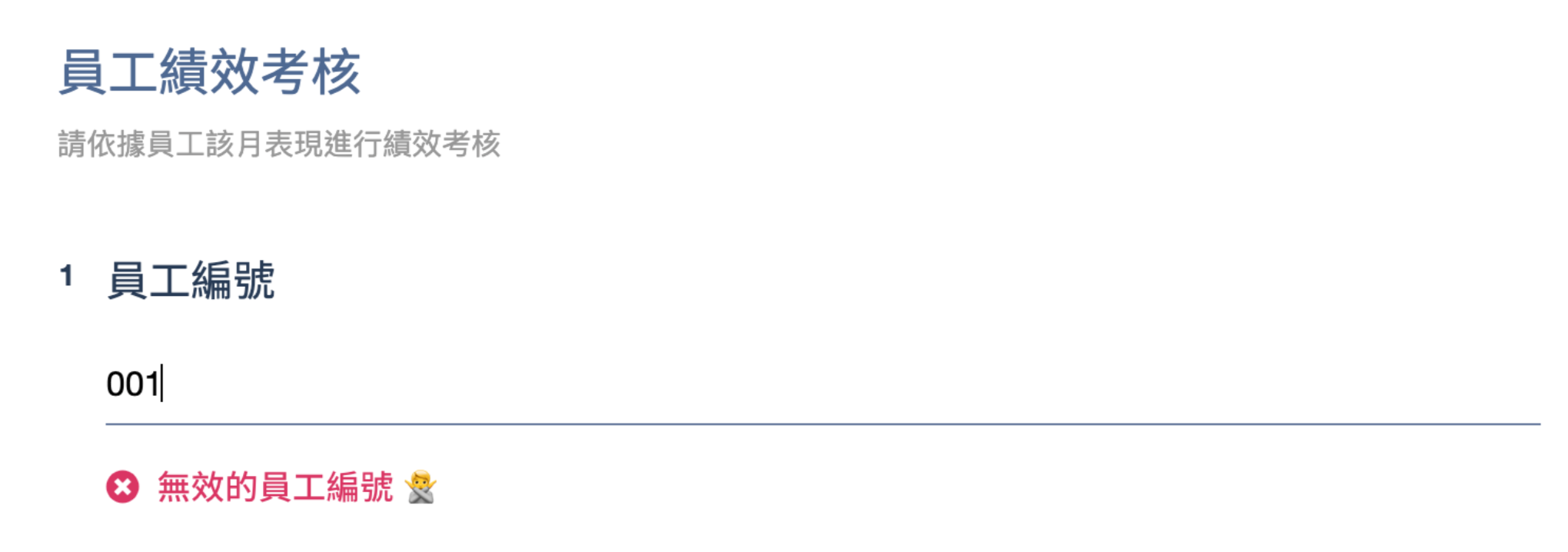
If the API's Status does not return 200, the question will fail the validation, and the "msg string" returned by the API will be displayed on the survey page.
FAQs
Is there any related API code example that can be used as reference?
Since the API code used for text validation is developed by users themselves, the code's structure and logic will vary based on individual user requirements. SurveyCake DOES NOT provide fixed code examples!
Can SurveyCake provide any assistance if an individual or company cannot develop the API internally?
Certainly, the SurveyCake ENTERPRISE supports customization and integration. If you need to develop your customized API, please feel free to fill out this form, and a dedicated SuveryCake’s team representative will contact you as soon as possible!



